PR Aging Report
Azure DevOps has no native PR aging report. The PR list shows everything open without telling you which ones have been sitting for two weeks. This tool walks every active pull request via the REST API, buckets each by age (Fresh / Aging / Stale / Forgotten), and surfaces the two cheapest fixes — PRs with no reviewers assigned, and PRs with reviewers but no approvals — in dedicated callouts.
Active PR lists don't show age. Age is the triage signal.
The PR list shows status, not age.
ADO surfaces active PRs in a list. Sort by created date, scroll, eyeball. No bucket. No "PRs aged 30+ days" alert. Engineering managers either build a custom dashboard against the REST API or buy a marketplace extension. Aman Sharma's Medium piece on speeding up ADO PR reviews names the specific number:
"In Azure DevOps, a pull request without a clear owner sits idle until someone picks it up, with average pickup time drifting past 19 hours." Aman Sharma · Medium, Speed Up Azure DevOps Review Pull Requests
19 hours is the average. The tail — PRs aged 30+ days — is where real cost lives.
A PR with zero reviewers sits indefinitely.
The most common stuck pattern in ADO: someone opens a PR, doesn't assign reviewers, the PR sits. Nobody gets a notification. The fix is trivial (assign someone) but the cost compounds — that PR's branch eventually conflicts with main, gets stale, gets force-pushed, gets abandoned. A separate callout for no-reviewers PRs makes the fix the first thing in the report.
Assignment happened. Review didn't.
PR has reviewers, but zero of them have voted. Different intervention than no-reviewers: the assignment was made, the reviewer either hasn't gotten to it or it fell off their radar. Separating these two failure modes lets the eng manager have two different conversations: "please assign someone to PR 1109" vs "please review PR 1116 by EOD."
This tool addresses all three: a local PowerShell script that walks every active pull request across every repo in the project via the ADO REST API, classifies by days open (Fresh / Aging / Stale / Forgotten), surfaces no-reviewers and no-approvals as dedicated callouts, and rolls up per-repo aging.
One page. Four age buckets. Two callouts. Per-repo rollup.
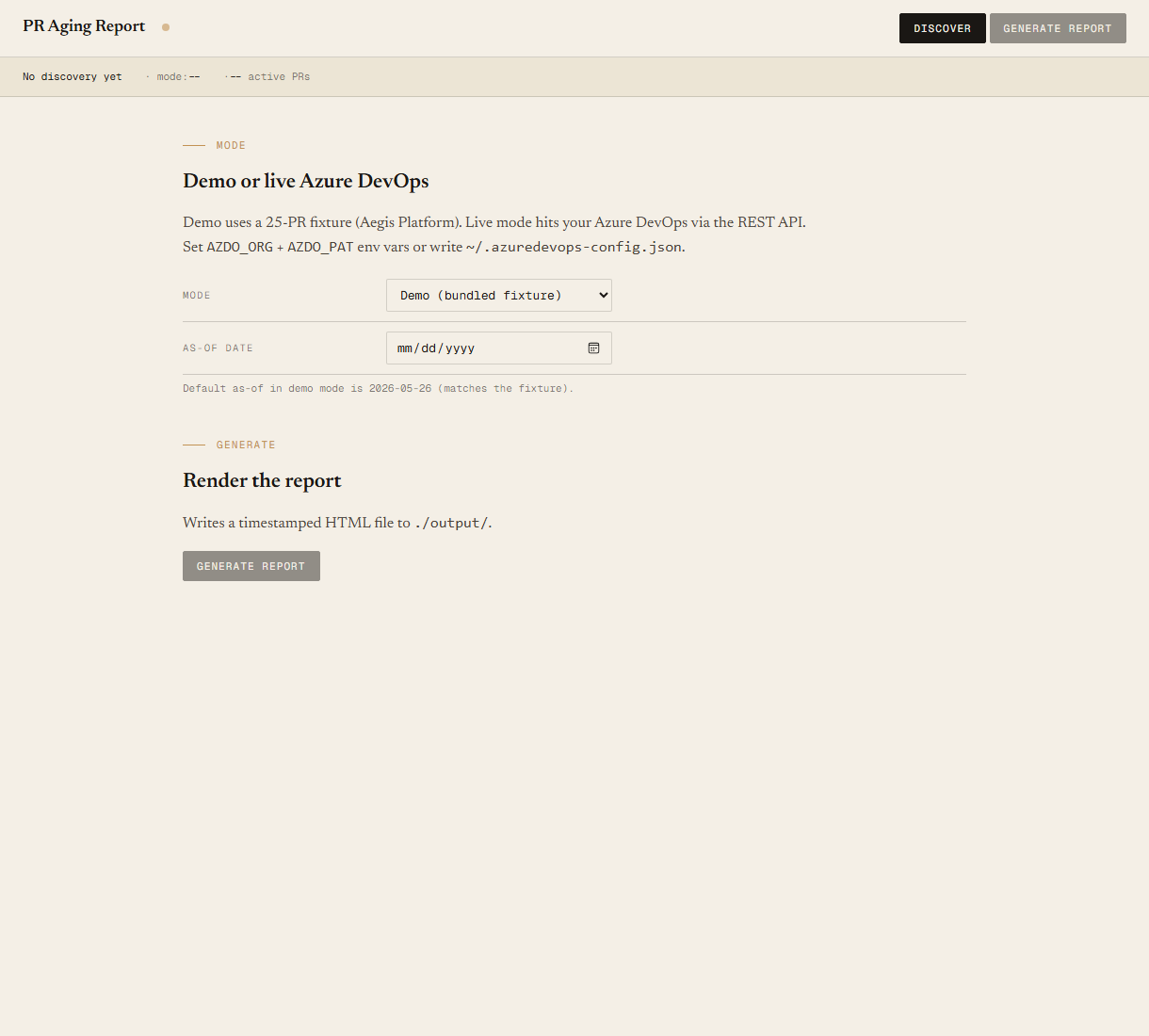
The output is a single self-contained HTML file written to ./output/. System fonts, no external CSS or JS, prints cleanly.
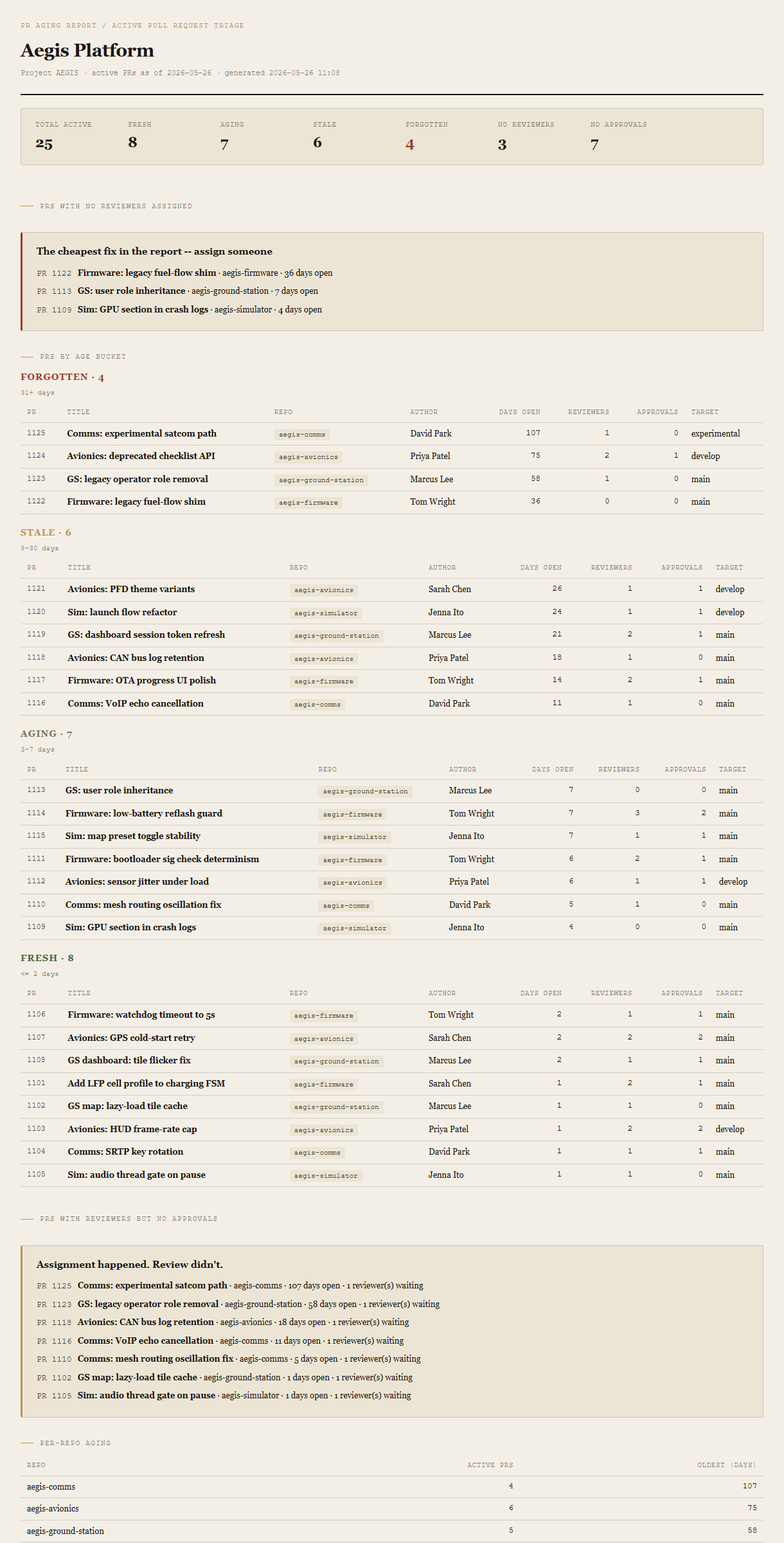
Summary header
Total active PRs, count per bucket (Fresh / Aging / Stale / Forgotten), count with no reviewers assigned, count with no approvals. Forgotten count in red ochre.
PRs with no reviewers assigned
The cheapest fix in the report. Listed first because the action is trivial (assign someone) and the cost compounds the longer it sits.
PRs by age bucket
Four sub-sections, Forgotten first. Per row: PR ID, title, repo, author, days open, reviewer count, approval count, target branch.
PRs with reviewers but no approvals
Assignment happened. Review didn't. Each row names the reviewer count waiting, so the eng manager can ping the specific people.
Per-repo aging
Small table: repo, active PR count, oldest PR age. Sorted by oldest-first so the most-stuck repo lands at the top.
Requirements
- OSWindows, macOS, or Linux
- RuntimePowerShell 7+ (
pwsh). Windows PowerShell 5.1 is not supported. - BrowserAnything modern. Configuration UI is on
localhost:8778. - Azure DevOpsCloud only in v1. Server / Data Center has a different API shape; defer until demand.
- TokenPersonal Access Token from
dev.azure.com/<org>/_usersSettings/tokens. Scope needed: Code (Read). - DataNever leaves your machine. The local PowerShell server talks directly to
dev.azure.com; the browser only talks to the local server. - Demo modeBundled 25-PR Aegis Platform fixture — the tool runs end-to-end without setting up ADO creds. Switch to live mode in the local UI when you're ready.
Claude could write this. Two reasons to prefer the script.
Some workplaces — defense, medical devices, finance, anywhere with a strict IT policy — won't let Claude or any AI tool touch production data. These tools run on your machine, with no Claude or AI in the data path. Vendor data (in this case, your Azure DevOps organization) flows direct from your machine to dev.azure.com and back — no third-party SaaS in between, no telemetry, no tokens leaving your environment. And even where AI is allowed, repeat workflows shouldn't cost tokens — a deterministic script runs the same way every time, for free, forever. The prompt guide below shows how this tool was built with Claude; the download is what you run after.
Three files. Free.
The tool, a user guide that walks through the demo and the live setup, and a prompt guide showing how this was built with Claude Code — the bucket thresholds, the fixture engineering, the Pester contract.
Drop your email to unlock the downloads.
One email when new tools ship, digest only. Confirms via Kit (double opt-in). No tracking. Unlocks every download on the site from this browser.
./start.ps1.