Due-Date Risk Forecast
Portfolio Rollup organizes by List. Cross-Space Workload Report organizes by person. This re-cuts the same portfolio by time — every open task bucketed by deadline horizon (overdue, due this week, due this month, later), per-Space critical-rate breakdown, overdue-by-assignee callout, at-risk task list. The Monday-morning "what's on fire and which Space is leading us there" artifact.
The PMO needs the time-axis view. ClickUp gives you everything except.
You can see every task on a calendar. You can't see the bucket counts.
ClickUp's Calendar view is genuinely useful for "what's happening this Tuesday." It hides the rollup question: how many tasks are overdue? how many due this week? what fraction of the portfolio is in the critical bucket? The PMO regenerates this by hand from CSV exports, every Monday morning.
One Space drives most of the risk. The rollup hides which.
When 12% of the portfolio is overdue, it's not 12% evenly across Spaces. Usually one Space is at 40% critical and the rest are at 10% — same average, very different conversations. The per-Space breakdown surfaces which Space to investigate before the next planning cycle.
Most overdue first. Stop reading when you've decided what to do.
A list of "all tasks sorted by due date" puts oldest items at the bottom or top by date, not by how late they are. The Monday-morning use case is: scan the most-overdue items, decide which calls to make today. Sorting by days-late-relative-to-now is what makes the list scannable.
This tool addresses all three: one local PowerShell script that walks every open task across every Space, buckets each by deadline horizon, surfaces per-Space critical-rate, and renders a single self-contained HTML report with a GREEN/AMBER/RED verdict.
One page. Verdict + per-Space breakdown + Monday-morning list.
The output is a single self-contained HTML file written to ./output/.
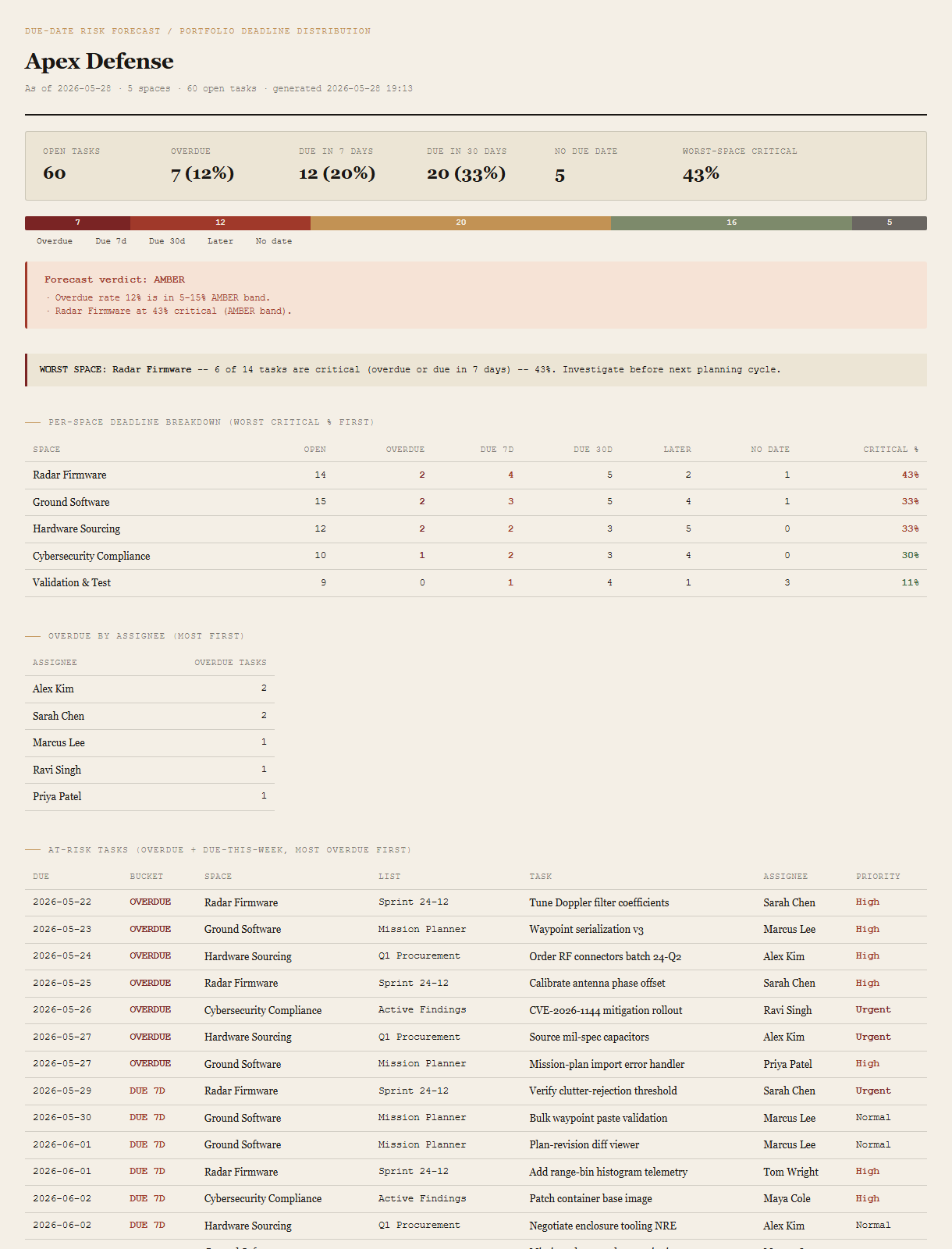
Summary cells + bucket bar
Total open tasks plus per-bucket counts (overdue / due-7d / due-30d / no date) plus worst-Space critical percentage. The bucket bar is a single horizontal strip showing the whole portfolio's deadline distribution at a glance, color-coded.
Forecast verdict
GREEN / AMBER / RED with the specific thresholds that triggered it. Both the portfolio-wide overdue rate AND the worst-Space critical rate trigger independently — either can fire AMBER.
Worst-Space callout
If any Space exceeds 30% critical, an inline callout names it, the count, and the suggested action ("investigate before next planning cycle").
Per-Space deadline breakdown
One row per Space, sorted by critical % descending. Per-bucket counts plus critical percentage, color-coded. The cross-cut needed to know which Space to focus the standup conversation on.
Overdue-by-assignee + at-risk list
Person-axis view (who has the most overdue tasks) plus the chronological at-risk list (overdue + due-7d, most-overdue first). The two complementary drill-downs from the rollup.
Requirements
- OSWindows, macOS, or Linux
- RuntimePowerShell 7+ (
pwsh). 5.1 is not supported. - BrowserAnything modern. UI on
localhost:8784. - ClickUpLive mode deferred to v2 — reuses the Portfolio Rollup auth flow (Personal API Token via env var or
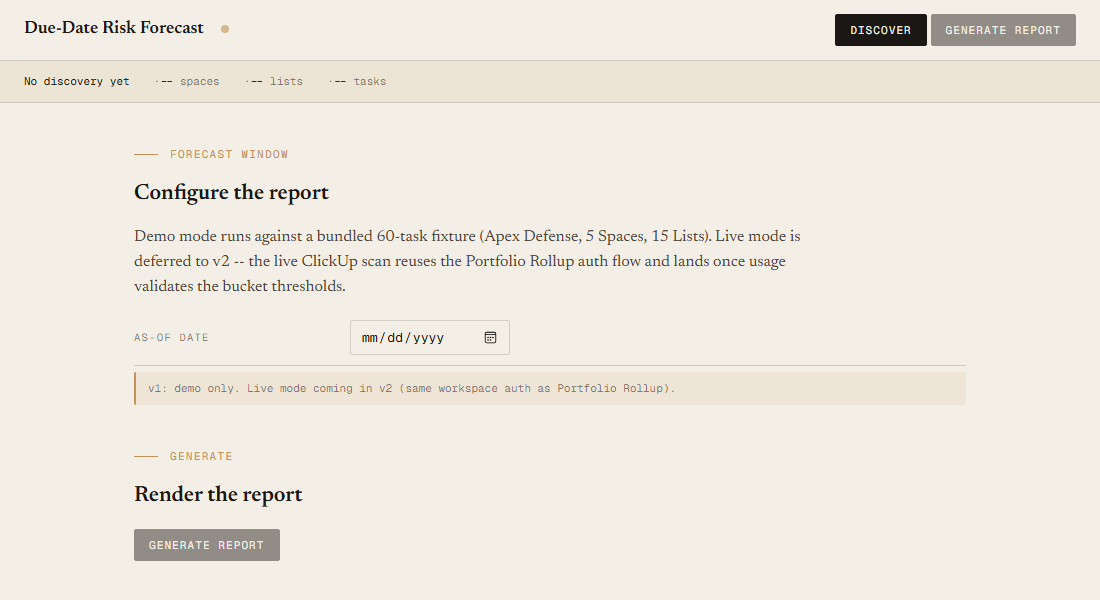
~/.clickup-token). v1 demonstrates the report shape on a bundled fixture. - Demo modeBundled 60-task / 5-Space / 15-List Apex Defense fixture — runs end-to-end with no creds.
Claude could write this. Two reasons to prefer the script.
Some workplaces — defense, medical devices, finance, anywhere with a strict IT policy — won't let Claude or any AI tool touch production data. These tools run on your machine, with no Claude or AI in the data path. Vendor data (in this case, your ClickUp workspace) flows direct from your machine to api.clickup.com and back — no third-party SaaS in between, no telemetry, no tokens leaving your environment. And even where AI is allowed, repeat workflows shouldn't cost tokens — a deterministic script runs the same way every time, for free, forever. The prompt guide below shows how this tool was built with Claude; the download is what you run after.
Three files. Free.
The tool, a user guide, and a prompt guide showing the spec, the bucket-threshold design, the verdict heuristics, and the Pester contract that pins the fixture's per-Space critical rates.
Drop your email to unlock the downloads.
One email when new tools ship, digest only. Confirms via Kit (double opt-in). No tracking. Unlocks every download on the site from this browser.
./start.ps1.