Portfolio Rollup
A local web app that produces a single-page portfolio rollup from your ClickUp Space. Handles the hybrid case — hardware milestones and firmware sprints under the same product. Caches the structural read to disk so the dashboard is actually fast, even when ClickUp's API isn't.
ClickUp's portfolio views don't roll up the way you actually work.
Two compounding gaps. First, the native portfolio reporting can't cleanly bridge Spaces — teams that put each product (or each client) in its own Space lose unified visibility. Second, the public API is slow enough to bite real users who try to build their own dashboard against it.
"I was tired of waiting on better portfolio views so I used Claude to build a dashboard. My external dashboard load really slow which I think is because of CU's API." r/clickup · this month
The OP had the right instinct. The problem with their implementation was architecture: hitting the API live on every load is the wrong shape. The right shape is to cache the structural read — Spaces, Folders, Lists, statuses, custom fields — once, and only re-fetch Tasks when you actually generate. That's what this tool does.
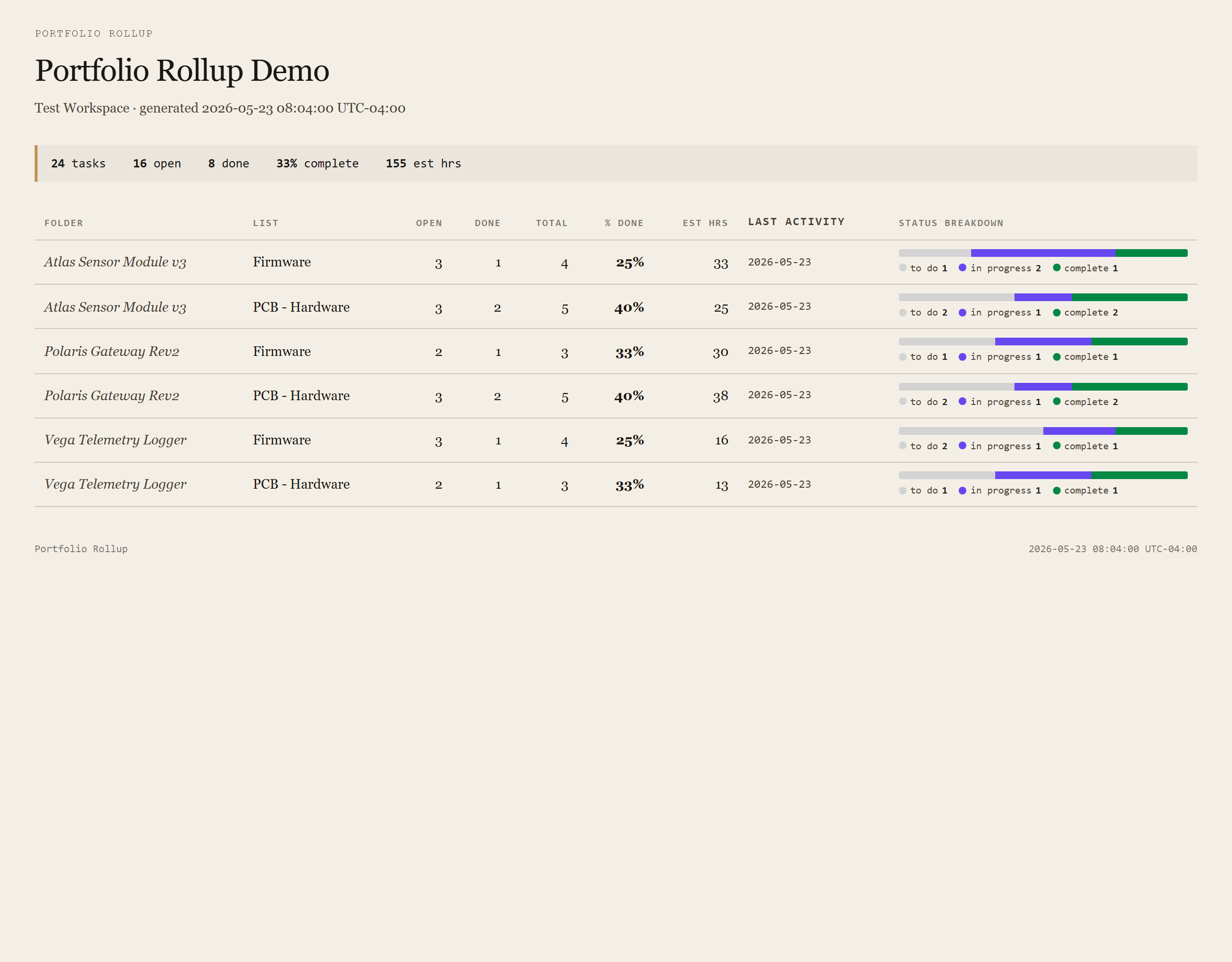
One row per List. Stage-gate visibility across the portfolio.
The rollup is a single self-contained HTML page. One row per List (your delivery stream): open / done / total task counts, % complete, summed time estimates, last activity, and a compact status breakdown bar keyed to your Space's own status palette.
Why "one row per List" maps cleanly onto product teams
For agencies, each Customer is a Folder and each Project a List — one rollup row per Project. For connected-hardware teams, each Product is a Folder and each delivery stream (PCB hardware, firmware, mechanical, validation) is a List — one rollup row per stream. Same shape, same rollup. The tool doesn't care which mental model you use; it follows ClickUp's hierarchy as you've configured it.
Open vs done is computed off status type, not name
ClickUp lets you name statuses anything — to do, backlog, WIP, shipped. The tool reads the status type field (one of open / custom / closed / done) so the rollup math works without anyone editing the script. Custom statuses count as open until they're explicitly closed-type.
Requirements
- OSWindows, macOS, or Linux
- RuntimePowerShell 7+ (
pwsh). Windows PowerShell 5.1 is not supported. - BrowserAnything modern. The configuration UI is served on
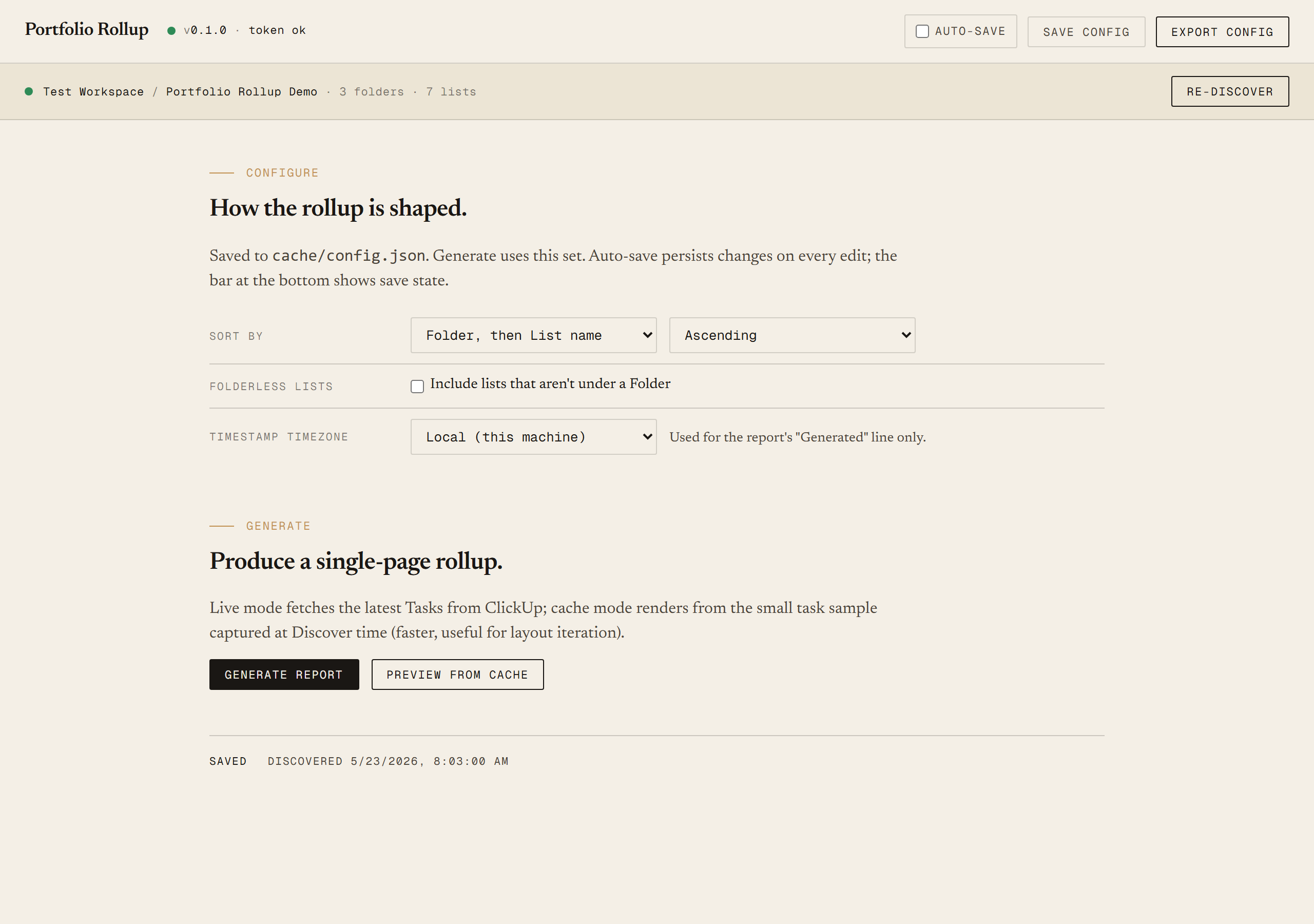
localhost:8767. - ClickUp accountAny plan that exposes the API. You'll create a Personal API Token from Settings → Apps.
- Token scopePersonal API Tokens are read/write on everything your user can see. The tool itself only issues reads.
- DataNever leaves your machine. The local PowerShell server talks directly to
api.clickup.com; the browser UI only talks to the local server.
Claude could write this. Two reasons to prefer the script.
Some workplaces — defense, medical devices, finance, anywhere with a strict IT policy — won't let Claude or any AI tool touch production data. These tools run on your machine, with no Claude or AI in the data path. Vendor data (in this case, your ClickUp workspace) flows direct from your machine to ClickUp and back — no third-party SaaS in between, no telemetry, no tokens leaving your environment. And even where AI is allowed, repeat workflows shouldn't cost tokens — a deterministic script runs the same way every time, for free, forever. The prompt guide below shows how this tool was built with Claude; the download is what you run after.
Three files. Free.
The tool itself, a user guide that walks through setup and the Discover/Generate loop, and a prompt guide that shows how this was built with Claude Code — including the ClickUp API quirks we hit (Space status updates silently no-op, default scaffold Space, the trick to get Lists to inherit a 3-state set).
Drop your email to unlock the downloads.
One email when new tools ship, digest only. Confirms via Kit (double opt-in). No tracking. Unlocks every download on the site from this browser.
./start.ps1. No installer.