Action Item Aging Report
Excel Rescue and Tracker Doctor treat the spreadsheet as a data container. This one treats it as a PM artifact. Point it at your action log, get back the Monday-morning view every PM rebuilds by hand — open items bucketed by age (Fresh / Active / Aging / Stale), chronic offenders flagged (long-stale, unowned, chased 3+ times), per-owner aggregate, and a GREEN/AMBER/RED hygiene verdict against named thresholds.
An action log in Excel is a graveyard with no signage.
The default action log has no aging signal at all.
Every PM running actions in Excel has the same columns: ID, Item, Owner, Status, Due Date, Last Updated, Notes. None of them surface "this item hasn't moved in 94 days." The PM either eyeballs the Last Updated column every Monday and counts in their head, or builds a fragile =TODAY()-[@LastUpdated] column with conditional formatting that breaks the next time someone copy-pastes a row. The aging view that should be a permanent feature of the sheet is rebuilt from scratch every week.
"Sometimes you need a way to track all the tasks that are taking ages, tracking how many times you've chased and why it still isn't done." Rebel's Guide to PM · Free Project Action Log Template
An item chased three times is a structural problem, not a reminder gap.
The PM who's chased Marcus four times for the same vendor confirmation doesn't have a follow-up problem — Marcus has a blocker he hasn't named. A chase count of 4+ on an open item means the standard nudge isn't working and the system is treating "chased again" as if it's progress. The aging view has to surface chase frequency separately from age, because a 30-day-old item chased five times is a different conversation from a 30-day-old item that's just steady work.
No owner means no one is going to move it. Ever.
Action items that get logged in steering committees, created by automations, or carried over from someone who left always end up in the sheet with an empty Owner column. They're the most likely to silently age out — nobody is going to chase themselves, and the weekly review tends to skim past empty cells. They need to be the loudest callout in the report, not a footnote.
This tool addresses all three: one local PowerShell script that reads an .xlsx action log, classifies every open item by age, raises the three chronic-offender flags separately so each one is visible, and produces a single-page report with a verdict the PM can hand to a sponsor without an extra meeting.
One page. Verdict + chronic-offender callouts + per-bucket tables + per-owner aggregate.
The output is a single self-contained HTML file written to ./output/. System fonts, no external CSS or JS, prints cleanly, embeds in email.
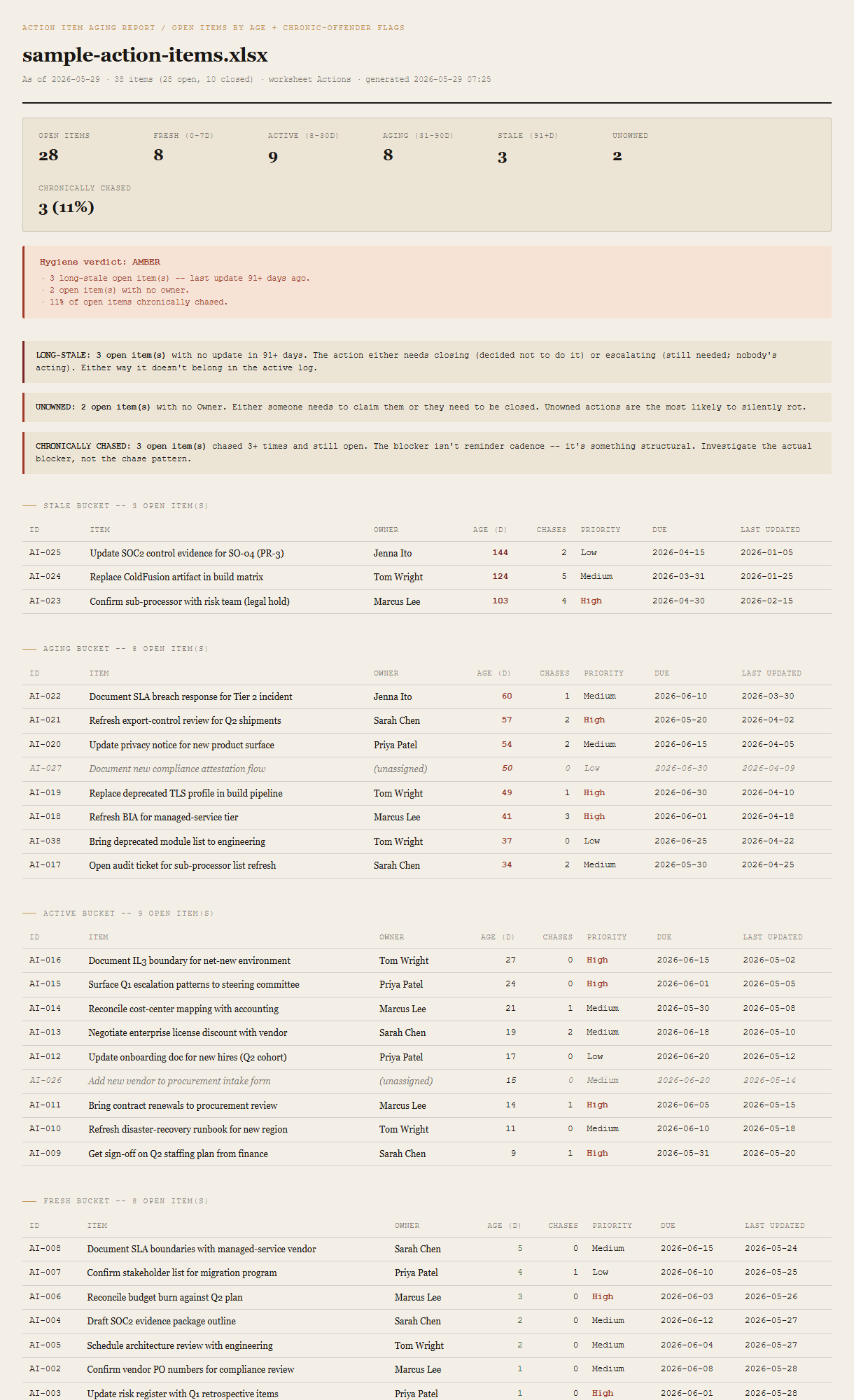
Summary + verdict
Open items, per-bucket counts (Fresh 0-7d / Active 8-30d / Aging 31-90d / Stale 91+d), unowned count, chronically-chased count and percentage. The verdict block beneath shows GREEN / AMBER / RED with the specific thresholds that triggered it — named in plain language, not just a color.
Three chronic-offender callouts
One callout per triggered flag: LONG-STALE (no update in 91+ days), UNOWNED (empty Owner), CHRONICALLY CHASED (Chase Count ≥ 3). Kept as three separate callouts deliberately — a combined "hygiene score" would obscure which conversation needs to happen.
Per-bucket tables (Stale first)
Four tables, Stale at the top so the worst items are first on the page. Each row: ID, Item, Owner, Age in days, Chase count, Priority, Due date, Last Updated. Sorted oldest-first within each bucket.
Per-owner aggregate (stale-first)
One row per owner. Open count, of which stale. Sorted by stale count descending, then by total. Unowned items get their own italic-muted row at the appropriate position.
Closed items summary
A small strip noting how many items are marked Done. Not included in the verdict math — they're shown so the open/closed ratio is visible at a glance.
Requirements
- OSWindows, macOS, or Linux
- RuntimePowerShell 7+ (
pwsh). 5.1 is not supported. - Module
ImportExcel— install once withInstall-Module ImportExcel -Scope CurrentUser. No Office, no Excel install needed on the machine running the tool. - BrowserAnything modern. UI on
localhost:8785. - InputAn
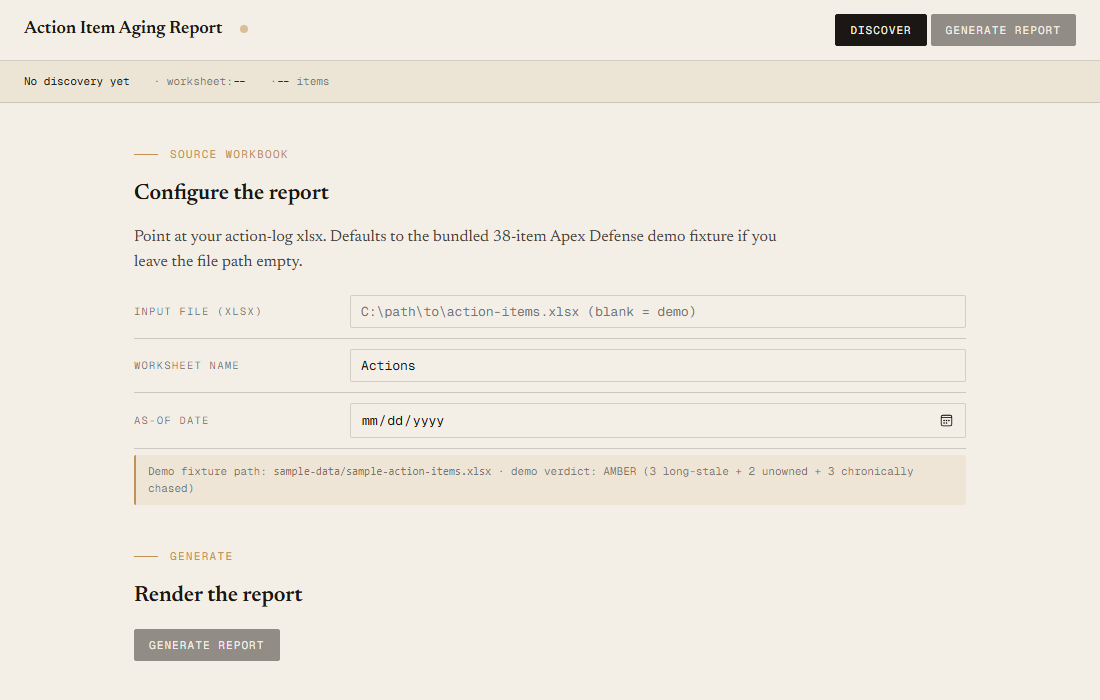
.xlsxaction log with at minimumID,Item,Status,Last Updatedcolumns.Owner,Priority,Created,Due Date,Chase Count,Notesare optional but improve the report. Common aliases are accepted (see user guide). - Demo modeBundled 38-item fixture — runs end-to-end with no input file, produces an AMBER verdict against deliberately seeded chronic offenders.
Claude could write this. Two reasons to prefer the script.
Some workplaces — defense, medical devices, finance, anywhere with a strict IT policy — won't let Claude or any AI tool touch production data. These tools run on your machine, with no Claude or AI in the data path. The file-based ones — this tool included — make no network calls at all: your action log is read from local disk, the report is written to local disk, nothing leaves the machine. And even where AI is allowed, repeat workflows shouldn't cost tokens — a deterministic script runs the same way every time, for free, forever. The prompt guide below shows how this tool was built with Claude; the download is what you run after.
Three files. Free.
The tool, a user guide, and a prompt guide showing the spec, the bucket cutoffs, the chronic-offender thresholds, the verdict logic, and the Pester contract that pins the demo fixture's per-bucket counts.
Drop your email to unlock the downloads.
One email when new tools ship, digest only. Confirms via Kit (double opt-in). No tracking. Unlocks every download on the site from this browser.
./start.ps1.