Excel Rescue
A local web app for three Excel pains that don't need a formula. Split heterogeneous columns into clean pieces. Collapse duplicated line items and sum order-level fields once per key. Combine CSVs from sources with mismatched schemas. PowerShell back end, HTML front end, runs entirely on your machine.
Three shapes of mess, three modes.
Pulled from r/excel this month. Each one's been costing the original poster real time. Each one is the same fix: stop hunting for the formula, describe the outcome, get the answer back.
Splitting data when the order is inconsistent.
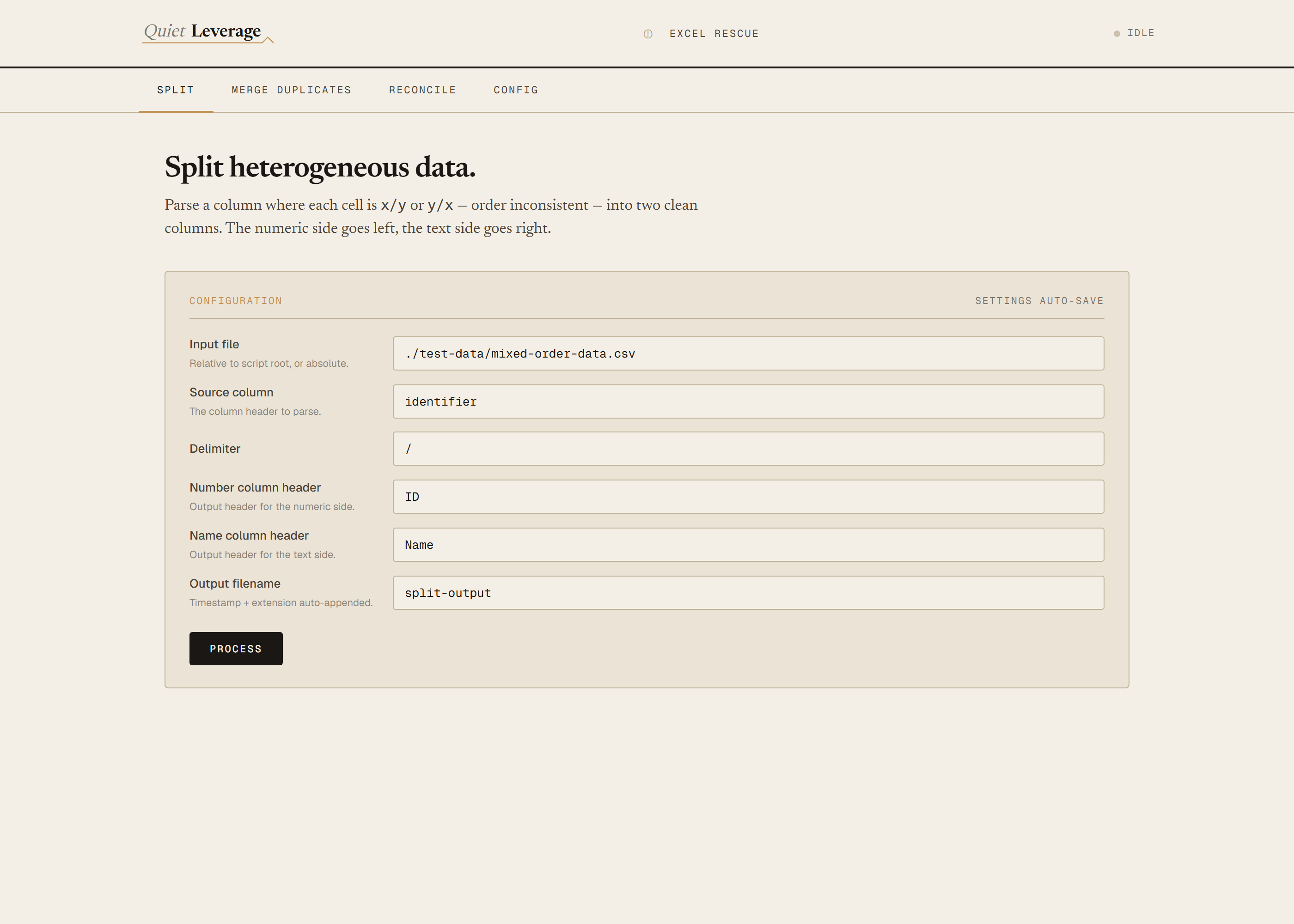
A column where each row is either 9438230/name or name/9438230. Text-to-Columns produces mixed garbage because the order isn't consistent. Excel Rescue tests each side with a digits-only regex and emits two clean columns regardless of which side held the number.
"i know there is text to column the problem here is sometimes the name is first 'name/93183', so doing the separator wont work ideally, is there a better way?"
Summing parent-level fields without double-counting.
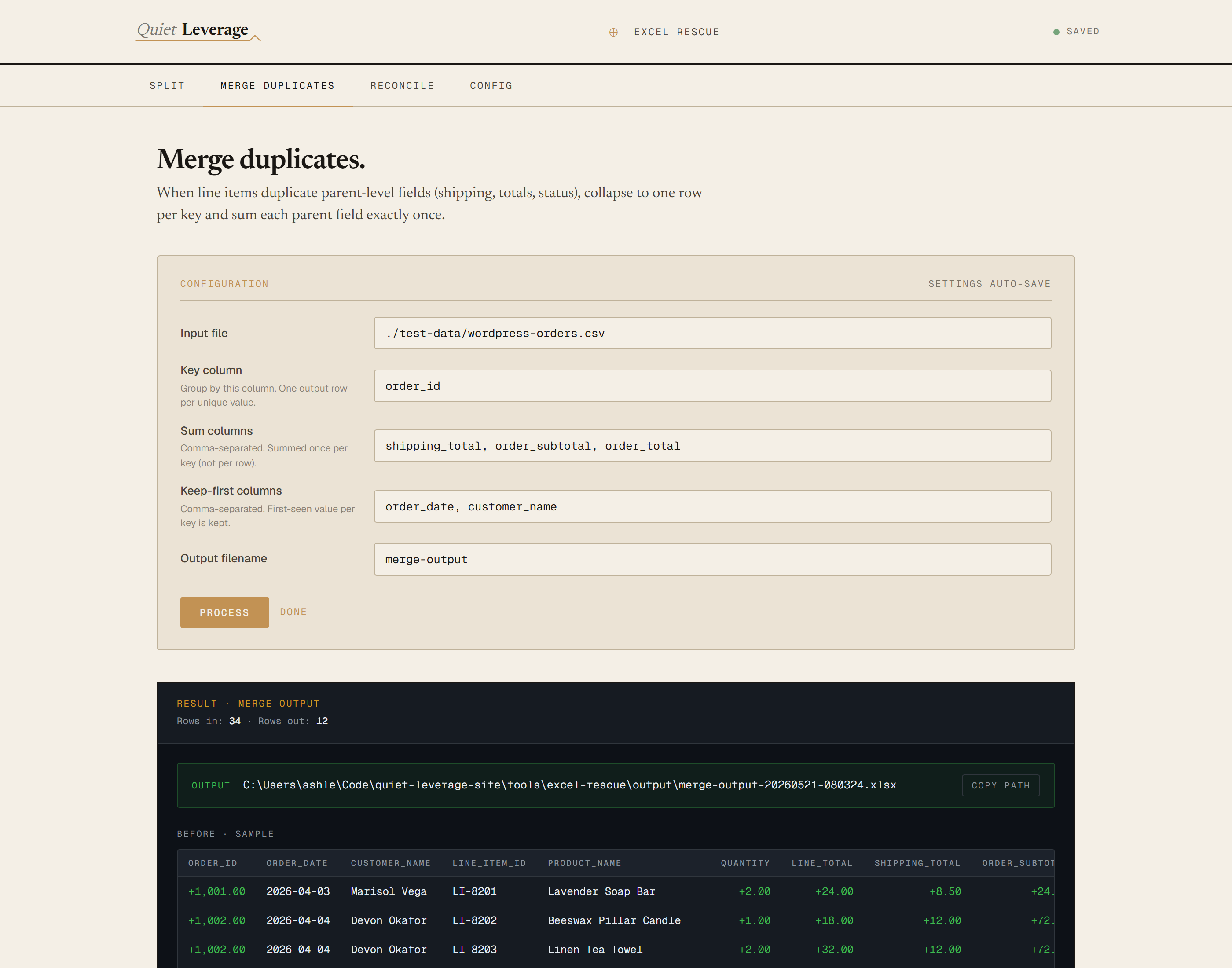
WordPress order export, one row per line item. Order-level fields (shipping, subtotal, total) are duplicated across every line of the same order. Naive dedupe collapses identical shipping costs across unrelated orders. Excel Rescue groups by key, keeps the first-seen value of each parent field, sums them once per key, and reports the overcount so you can see the damage the naive sum would do.
"It's time consuming and prone to error, given that a monthly invoice has anywhere between 800 to 1500 line items."
Combining CSVs from sources with different schemas.
Power Query expects a stable schema. Three banks give you three. Column names don't match, date formats are different, one source has split debit/credit columns, the next has a signed amount, the third uses a Dr/Cr indicator. Excel Rescue handles all three amount conventions, parses each source's date format independently, and emits one sorted, normalized CSV.
"Wasting hours every month on something that should be simple. Every single one comes out differently: column names don't match, date formats are all over the place, sometimes there are separate debit/credit columns, sometimes everything is combined."
A clean output file. Every time.
Each run writes an .xlsx (with a .csv fallback if the ImportExcel module isn't installed) into ./output/, timestamped. The browser also shows a result panel with a sample of the input, a sample of the output, and the audit numbers — so you can sanity-check before opening the file.
Settings auto-save.
Every form field saves on edit, with a 400ms debounce and a save-state dot in the header (gold while saving, green when saved). Settings live in ./settings.json beside the script. Refresh the browser and they come back.
Defaults that work out of the box.
The tool ships with five sample CSVs in ./test-data/ and default settings pointed at them. First-run produces three working outputs against known-good ground-truth numbers — useful as a smoke test and as templates for your own configs.
Requirements
- OSWindows, macOS, or Linux
- RuntimePowerShell 7+ (
pwsh). Cross-platform: Windows, macOS, Linux. Windows PowerShell 5.1 is not supported —ConvertFrom-Json -AsHashtableand the modern listener APIs are 7+ only. - XLSX outputOptional. Install
ImportExcelfor real.xlsx; otherwise the tool falls back to.csvsilently. The first run offers to install. - BrowserAnything modern. The configuration UI is served on
localhost:8765. - InputsCSV files on your disk. Paths are resolved relative to the script root, not your shell's working dir.
- DataNever leaves your machine. The browser UI talks to a local PowerShell server; the server reads files from disk and writes the output beside them. Nothing is uploaded anywhere.
Claude could write this. Two reasons to prefer the script.
Some workplaces — defense, medical devices, finance, anywhere with a strict IT policy — won't let Claude or any AI tool touch production data. These tools run locally with no network calls. And even where AI is allowed, repeat workflows shouldn't cost tokens — a deterministic script runs the same way every time, for free, forever. The prompt guide below shows how this tool was built with Claude; the download is what you run after.
Three files. Free.
The tool itself, a user guide that walks through setup and the three modes, and a prompt guide that shows how this was built with Claude Code so you can reproduce the workflow for whatever shape of mess you're stuck on.
Drop your email to unlock the downloads.
One email when new tools ship, digest only. Confirms via Kit (double opt-in). No tracking. Unlocks every download on the site from this browser.
./Start-ExcelRescue.ps1, the browser opens to localhost:8765. No installer.