Sprint Trust Report
Jira's Velocity Chart and Sprint Report show different numbers for the same sprint. This tool reconciles them — pulls the sprint's full issue changelog, classifies every drift event, and names the specific issues that caused each discrepancy. One authoritative number you can hand to leadership, with the receipts.
Jira contradicts itself, and nobody can tell you why.
The Velocity Chart shows 21 committed, 16 done. The Sprint Report shows 21 committed, 18 done. The board's exec dashboard shows something else again. Three reports, three numbers, same sprint. Atlassian's own support docs concede:
"The commitment value shown in the Velocity chart for a given sprint does not include story points from work items that were cancelled prior to the sprint's start date." Atlassian support · Velocity Report vs Sprint Report discrepancies
"Your velocity charts are lying to you (thanks to Jira)." Mannu · Medium · 2025
The leadership-facing problem is reputational: the retro stalls on which number is right, the exec slide gets typed by hand, and trust in the data erodes. The technical problem is that the discrepancies all come from a small set of specific events — mid-sprint adds, mid-sprint removals, workflow re-closures, point estimate changes — that Jira's UI reports don't surface together. The changelog has every receipt; nobody walks it.
Six drift categories. Every issue, every timestamp.
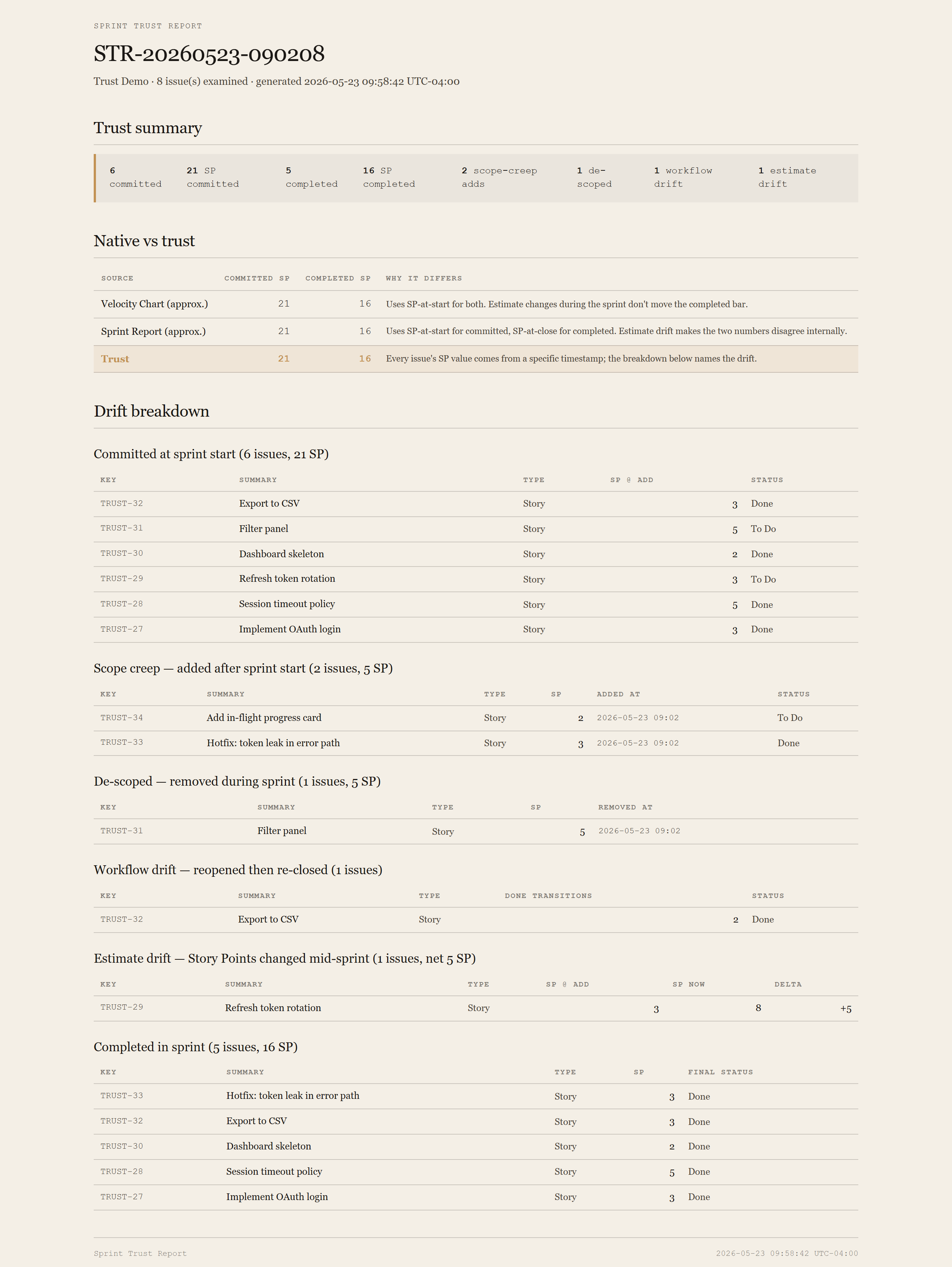
The output is a single self-contained HTML page. Top of the page: one trust summary number set. Middle: a three-row table that compares what Velocity Chart would say, what Sprint Report would say, and what the trust math says — with a one-line explanation per delta. Bottom: six sub-tables, one per drift category, listing the issues responsible.
The "real" commitment.
Issues that were in the sprint at the moment it activated. Computed from the Sprint field's first appearance in each issue's changelog, compared to the sprint's startDate. Subset that got de-scoped is shown separately so you can see what the team meant to ship vs what they ended up shipping.
Added to the sprint after start.
Sourced from Jira's own issueKeysAddedDuringSprint list (which the Sprint Report UI uses). The Velocity Chart hides these — the "committed" bar reflects sprint-start composition only, so adds count toward velocity without counting against commitment.
Removed from the sprint mid-flight.
Sometimes the right call. Often slipped out silently. Sourced from Jira's puntedIssues. Each is named with its de-scoping timestamp so you can ask "who pulled this and when?" without a Slack archaeology dig.
Closed, reopened, re-closed.
Each pass through Done inflates the Velocity Chart. Detected by counting status transitions into a statusCategory.key == 'done' bucket during the sprint window. One transition is normal completion; two or more means somebody walked it back.
Story Points changed mid-sprint.
Velocity's commitment uses SP-at-start. Sprint Report uses SP-at-close. If the team re-estimated a story during the sprint, the two reports disagree by exactly the delta. The trust report shows the original value, the new value, the delta, and when it changed — so you can decide which version of reality to publish.
Ended in a Done-category status by sprint close.
Sourced from Jira's completedIssues list (what the Sprint Report counts as done). Classification uses status statusCategory.key, not status name — so teams whose statuses are named WIP / Shipped / Closed get the right rollup without anyone editing the script.
Requirements
- OSWindows, macOS, or Linux
- RuntimePowerShell 7+ (
pwsh). Windows PowerShell 5.1 is not supported. - BrowserAnything modern. The configuration UI is served on
localhost:8768. - JiraCloud only in v1. Server / Data Center is a separate auth story; defer until demand.
- TokenPersonal API Token from id.atlassian.com. The tool only issues read requests; the token itself carries your Atlassian user's permissions.
- DataNever leaves your machine. The local PowerShell server talks directly to
your-site.atlassian.net; the browser only talks to the local server.
Claude could write this. Two reasons to prefer the script.
Some workplaces — defense, medical devices, finance, anywhere with a strict IT policy — won't let Claude or any AI tool touch production data. These tools run on your machine, with no Claude or AI in the data path. Vendor data (in this case, your Atlassian Cloud instance) flows direct from your machine to Atlassian and back — no third-party SaaS in between, no telemetry, no tokens leaving your environment. And even where AI is allowed, repeat workflows shouldn't cost tokens — a deterministic script runs the same way every time, for free, forever. The prompt guide below shows how this tool was built with Claude; the download is what you run after.
Three files. Free.
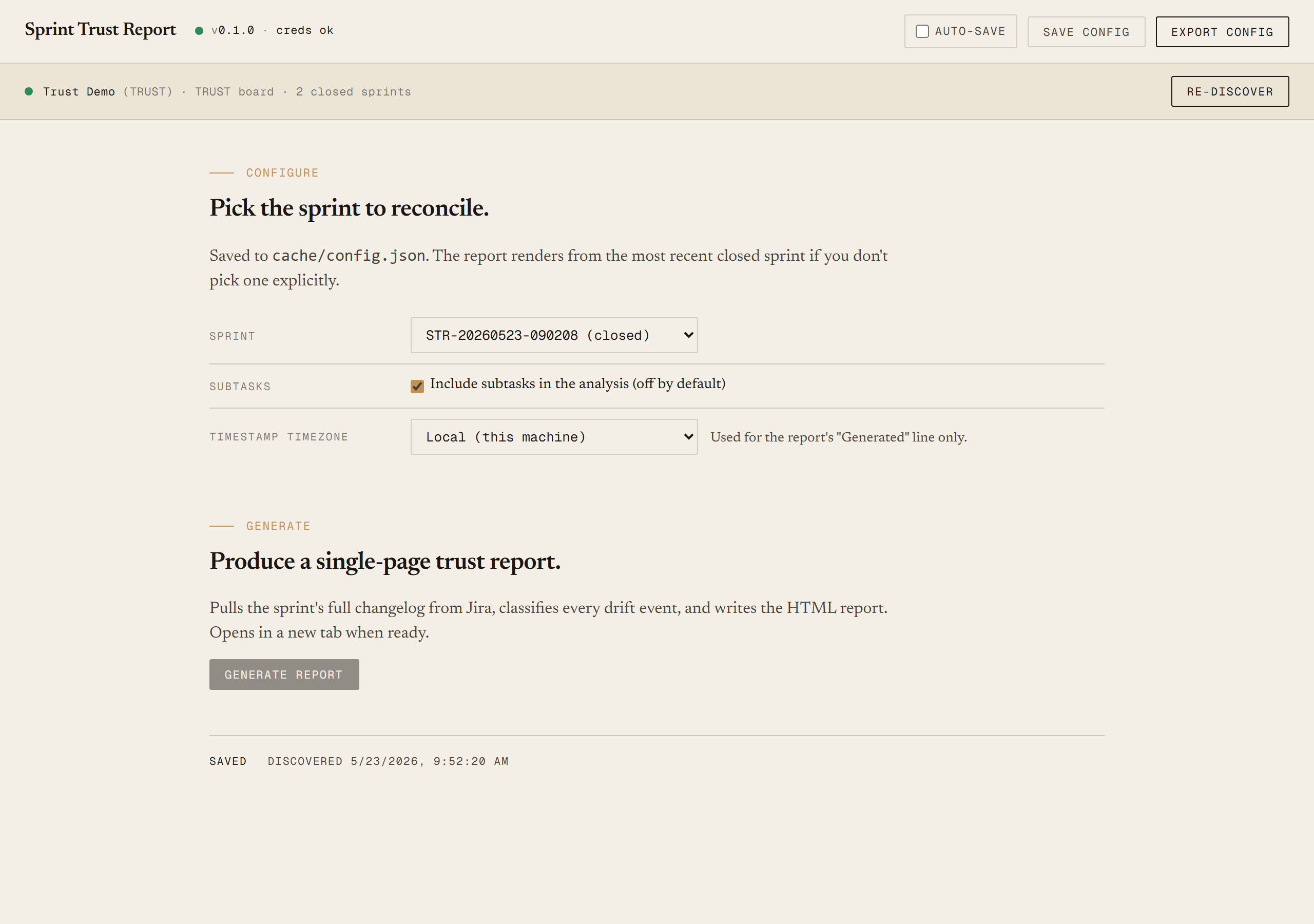
The tool itself, a user guide that walks through setup and the Discover/Generate loop, and a prompt guide showing how this was built with Claude Code — including the four Jira API quirks that ate an hour of iteration (silent timestamp double-conversion, no JQL WAS operator on the Sprint field so each issue's changelog has to be walked manually, team-managed boards reporting as simple, and PowerShell's auto-parsing of ISO dates).
Drop your email to unlock the downloads.
One email when new tools ship, digest only. Confirms via Kit (double opt-in). No tracking. Unlocks every download on the site from this browser.
~/.jira-config.json, run ./start.ps1. No installer.