Archive Graveyard Audit
Trello's UI hides archived cards by default and has no native filter that distinguishes legitimate completion-archive (Done list, checklist 100%, no open mentions) from graveyard archive — cards moved to /archive straight off Doing, Blocked, or In Review because someone felt too guilty to move them back. This tool reads every archived card, classifies it into one of five severity-ordered verdicts, and rolls them up into a GREEN/AMBER/RED board signal. The pattern it surfaces is the one XDA called "secretly abandoned" — the burndown looked good but the real work was being silently archived.
Audit-ready before someone asks.
The XDA Developers piece "The Trello trick that stopped my projects from dying in the Almost Done stage" describes the pattern in plain language: people archive cards they "felt too guilty to move back" to the active list, so the board looks healthy but real work is rotting in /archive. Atlassian's own cleanup-guide writing acknowledges the same shape — Trello boards "get out of hand" because the archive is hidden, growing, and unaudited. Cards land there for two completely different reasons (work finished vs. work abandoned) and the native UI treats them identically. The reader looking for the second category cannot find it without walking every archived card by hand.
The framing is the same as the rest of the Trello cluster: make your board audit-ready before someone asks. In regulated industries — defense, medical devices, finance — Trello is canonical shadow-IT: the official PM tool is Jira or Monday, but engineering managers and team leads run Trello boards underneath because they're faster to spin up. When the PMO eventually asks "where's the execution work happening, and is it on track?", the audit-graveyard pattern is the one that catches the boards where the burndown looked good but real work was being silently archived. A Done-list archive sweep is a routine cleanup. A Blocked-list archive sweep with five cards that still had unfinished checklists and unresolved @mentions is a different conversation entirely.
Five verdicts, six list tiers, three abandonment signals.
Every archived card gets exactly one primary verdict
Severity order (worst first): GRAVEYARD-CRITICAL > GRAVEYARD-SUSPECT > AMBIGUOUS > STALE-ARCHIVE > CLEAN-ARCHIVE. The cascade evaluates in that order and the first matching verdict wins, so a Blocked-tier archive with an unfinished checklist gets GRAVEYARD-CRITICAL and never falls through to the lower buckets.
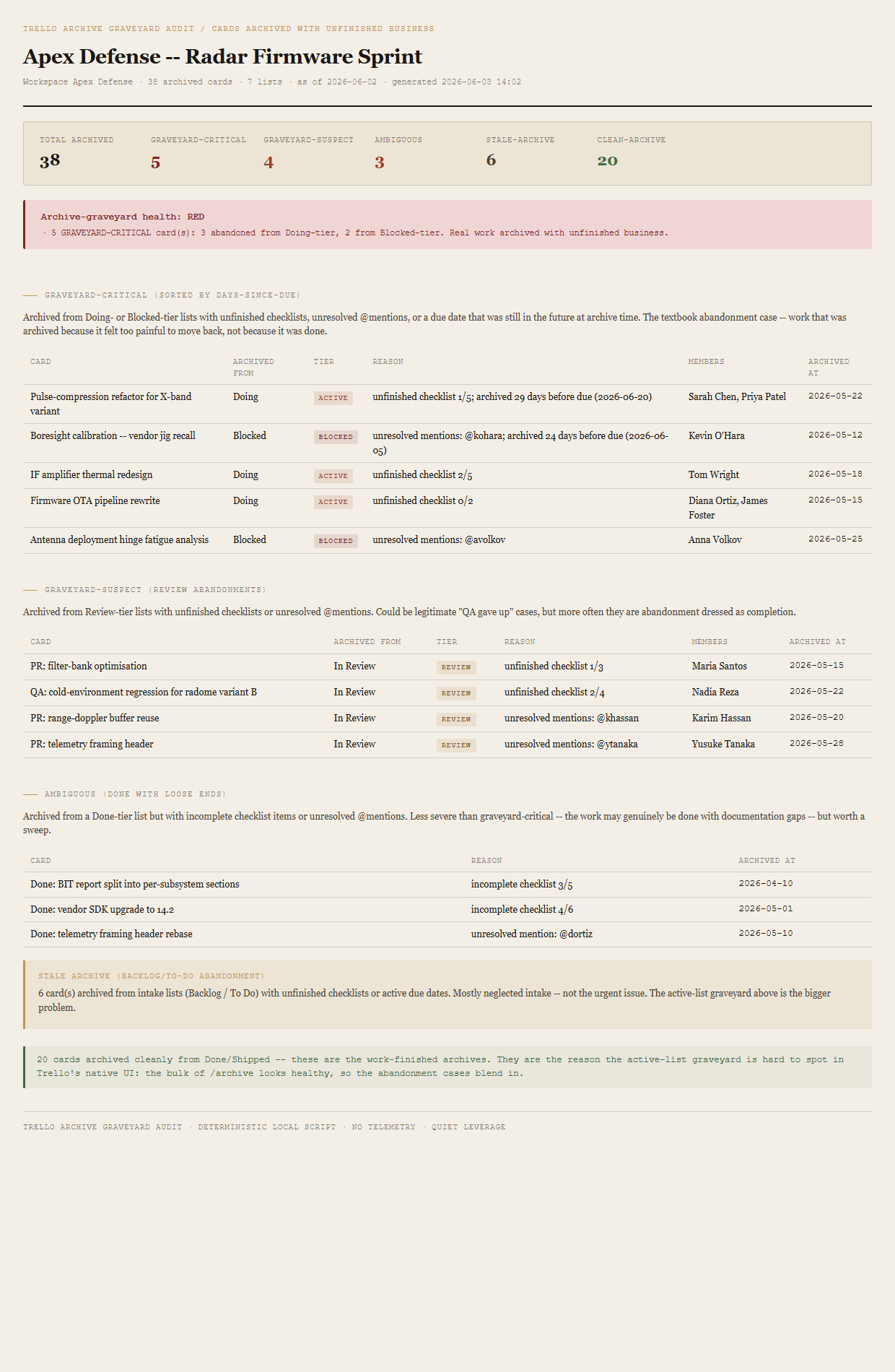
/archive looks like this — the abandonment cases blend in.
Every list is tiered by name
The classifier picks a tier from the list's name using a case-insensitive regex match (same rule set as the Card Aging tool):
- ACTIVEMatches
doing|in progress|in-progress|wip|working. - BLOCKEDMatches
blocked|stuck|waiting|on hold|on-hold|paused. - REVIEWMatches
review|qa|testing|verify. - DONEMatches
done|complete|shipped|closed|resolved|launched. - BACKLOGMatches
backlog|todo|to do|to-do|ideas|inbox. - OTHERAnything else — included in totals only.
Three abandonment signals per card
completeCount / totalCount. Unfinished when total > 0 and complete < total. A 0/2 or 2/5 checklist on an archived card is the most common abandonment trace — somebody had a plan, started it, then put the card away rather than finishing.
@username mentions in the most recent 5 comments where the mentioned user has not posted any commentCard after the mention's date. The card was archived with somebody still on the hook for a reply they never gave. v1 simplification: only the last 5 comments are scanned.
due at archive time is later than the archive event date — daysSinceDueAtArchive < 0. The card had a planned ship date that was still in the future when somebody archived it. The clearest possible signal that the card was put away rather than completed.
Workspace verdict roll-up
One verdict per board run, set by the worst-fired threshold:
- REDAny GRAVEYARD-CRITICAL card, OR 5+ GRAVEYARD-SUSPECT total.
- AMBERAny GRAVEYARD-SUSPECT, OR 5+ AMBIGUOUS, OR 10+ STALE-ARCHIVE.
- GREENOtherwise.
The bundled fixture lands RED via five engineered GRAVEYARD-CRITICAL cards — three abandoned from Doing, two from Blocked, with two of those archived before their own due date. The named worst rows are Pulse-compression refactor for X-band variant (archived 29 days before due) and Boresight calibration -- vendor jig recall (archived 24 days before due, with an unresolved @kohara mention on top). Both cards exercise the most expensive RED path on the first render — archived from an active-list tier, with a clear "this was put away, not finished" signal.
What ends up on the page
Header (workspace, board, archived-card count, list count, asOfDate). Summary row (total archived / graveyard-critical / graveyard-suspect / ambiguous / stale-archive / clean-archive). Board-level verdict (RED/AMBER/GREEN) with named reasons. Graveyard-CRITICAL table sorted by days-since-due ascending (most-negative first — archived-earliest-before-due bubbles up). Graveyard-SUSPECT table for the REVIEW abandonments. Ambiguous table for the DONE-tier loose-ends. Stale-archive callout (short, count + one-line). Clean-archive single-line acknowledgement — the count, not a table, because the legitimate cases don't need columns.
The honest scope of v1.
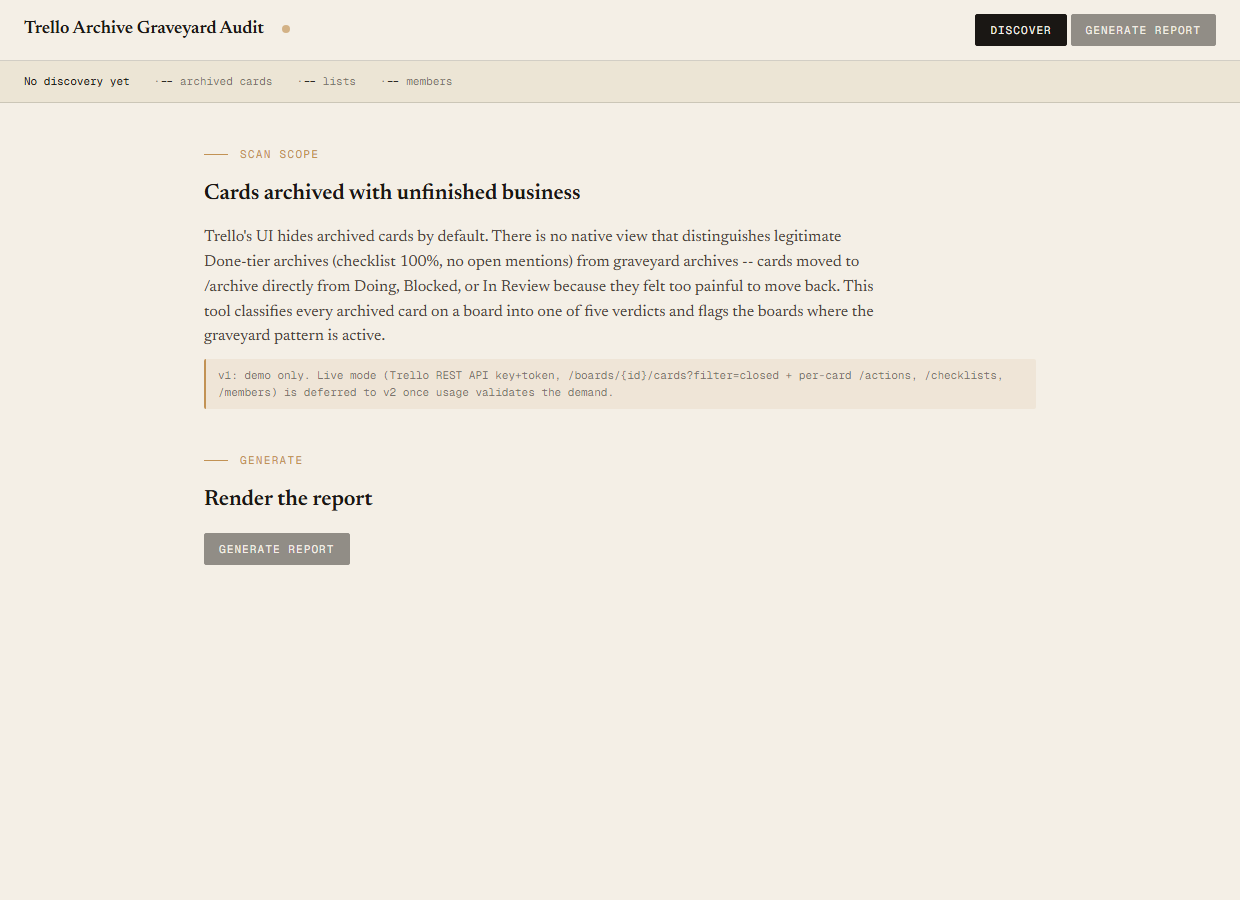
v1 is demo mode only. The discover script reads the bundled sample-data/archive.json fixture — an Apex Defense workspace with one board ("Apex Defense — Radar Firmware Sprint"), 7 lists (Backlog, To Do, Doing, Blocked, In Review, Done, Shipped), 14 members, and 38 archived cards engineered to break down 5 GRAVEYARD-CRITICAL / 4 GRAVEYARD-SUSPECT / 3 AMBIGUOUS / 6 STALE-ARCHIVE / 20 CLEAN-ARCHIVE. You can evaluate the report shape, the verdict logic, the tier classification, and the three abandonment signals end-to-end with no Trello credentials. Live mode (Trello REST against /boards/{id}/cards?filter=closed, /cards/{id}/actions for the archive-event + comment scan, /cards/{id}/checklists, and /boards/{id}/members for @mention resolution) is deferred to v2 once usage validates the demand.
Doesn't unarchive cards. This is a read-only audit. The tool tells you which archived cards look like graveyard, with the reasons spelled out. It does not bulk-restore, doesn't move cards out of /archive, doesn't post comments. The decision of which graveyard-critical cards to revive lives with the human reading the report. v2 might offer optional bulk-restore for a named list of cards; v1 stays out of write territory entirely.
Doesn't fix the underlying workflow. The graveyard pattern exists because moving a card back to Doing feels like an admission of failure and archiving feels like cleanup — that's a team-culture problem the audit can surface but cannot remediate. The right follow-up to a RED verdict is a conversation about why the cards were archived, not a Butler rule that auto-restores them.
Not a replacement for WIP-limit enforcement. A board with no WIP limits will produce more graveyard-critical cards because there's no upstream pressure to finish what's in flight before starting the next thing. This tool runs after the fact and catches the artefact — archived work that was never completed. The structural fix is a WIP limit on the active-list tiers; this audit is the rear-view check that the limit (or its absence) is working as intended.
The archive is hidden by default and shows no abandonment signal.
Trello's archive view is buried in the board menu and collapsed to a flat list of card names with no list-of-origin, no checklist progress, no due-date check, and no comment context. There is no native filter that says "show me archived cards whose checklist is incomplete" or "show me archives off Doing." Manually walking every archived card to check the checklist, due date, and recent comments is the work this tool automates — the audit is what tells a completion-archive apart from an abandonment-archive without forcing the reader to click into 38 cards in a row.
Requirements
- OSWindows, macOS, or Linux
- RuntimePowerShell 7+ (
pwsh). 5.1 is not supported. - BrowserAnything modern. UI on
localhost:8794. - TrelloLive mode deferred to v2 — will use Trello REST (
api.trello.com/1) with a personal API key + token. v1 demonstrates the report shape on a bundled fixture. - Demo modeBundled 38-card / 7-list / 14-member Apex Defense fixture — runs end-to-end with no creds, lands RED via 5 engineered GRAVEYARD-CRITICAL cards.
Three files. Free.
The tool, a user guide, and a prompt guide showing the spec, the fixture engineering that pins the 5/4/3/6/20 counts, and the Pester contract.
Drop your email to unlock the downloads.
One email when new tools ship, digest only. Confirms via Kit (double opt-in). No tracking. Unlocks every download on the site from this browser.
./start.ps1.