Card Aging Rebuilt
Trello's native Card Aging Power-Up has three documented failure modes. Card age resets on any modification — a list-move, a label change, a comment — so a card that's been stuck in Doing for three weeks looks fresh because someone re-tagged it yesterday. There is no list scoping — a card aging in Blocked is treated the same as one aging in Done. And the staleness thresholds are fixed — no way to say "Blocked cards stale after 2 working days" while leaving Backlog alone. This tool separates creation age, in-list age, and substantive-activity age, tiers each list by name, and produces a single-page report with a RED/AMBER/GREEN board verdict.
Audit-ready before someone asks.
The pain is documented in Atlassian community thread 1787317 — a multi-year request to fix Trello's Card Aging Power-Up that has no ETA from Atlassian. The thread surfaces all three failure modes in users' own words: the Power-Up ages each card off dateLastActivity, which means a single label edit resets the visual cue; one global threshold gets applied to every list regardless of semantic; and the threshold itself is non-configurable. The request that keeps reappearing is exactly the one this tool answers — per-list staleness rules, plus an age that doesn't reset every time someone touches the card. The Power-Up has not changed.
The framing matters as much as the failure mode. In regulated industries — defense, medical devices, finance — Trello is canonical shadow-IT: the official PM tool is Jira or Monday or Smartsheet, but engineering managers and team leads run Trello boards underneath because they're faster to spin up and easier to scope to a single team. LeadDev's writing on shadow development describes the same shape — the tool the team actually uses is not the tool of record. When the PMO eventually asks "where's the execution work happening, and is it on track?", the answer has to come from the Trello board, and the board has to be defensible. A column of Blocked cards nobody touched for two months is a different conversation from a column of Blocked cards that were unblocked the day before the audit. The Power-Up cannot tell those apart. This tool can.
Three ages, six list tiers, one verdict block at the top.
Three separate ages per card
updateCard:idList action placing the card in its current list. Falls back to createdAt if the card never moved. This is the age that surfaces "card has been sitting in Blocked for 9 working days" — the question the Power-Up cannot answer because list-moves reset its clock.
commentCard OR updateCheckItemStateOnCard action. Label changes, list moves, and due-date changes do NOT count. This is the signal that separates a card with real progress from a card someone touched cosmetically. Working-day math is Mon-Fri; holidays are out of scope for v1.
Every list is tiered by name
The classifier picks a tier from the list's name using a case-insensitive regex match:
- ACTIVEMatches
doing|in progress|in-progress|wip|working. Stale > 5 working days. - BLOCKEDMatches
blocked|stuck|waiting|on hold|on-hold|paused. Stale > 2 working days — a stuck blocker nobody is unblocking is the worst case. - REVIEWMatches
review|qa|testing|verify. Stale > 3 working days. - DONEMatches
done|complete|shipped|closed|resolved|launched. No staleness threshold; should-be-archived after 30 calendar days. - BACKLOGMatches
backlog|todo|to do|to-do|ideas|inbox. Stale > 90 working days (low priority). - OTHERAnything else — no staleness threshold, included in totals only.
Every card gets one primary verdict
updateCheckItemStateOnCard actions in the last 10 working days. The checklist exists, items remain unchecked, and nobody has touched it in the lookback window.
Severity order: STALE > GHOST > NO-CHECKLIST-PROGRESS > SHOULD-BE-ARCHIVED > HEALTHY. A card can match multiple criteria; the classifier picks one primary verdict and surfaces the other matches as secondary tags on the row. ASSIGNEE-DEACTIVATED is an additional secondary tag for cards with at least one assigned member whose account is deactivated — it doesn't affect the primary verdict, but it tells the reader the assignee can't act on the card.
Verdict roll-up
One workspace verdict per run, set by the worst-fired threshold:
- REDAny STALE card on a BLOCKED-tier list, OR 5+ STALE cards total, OR 10+ SHOULD-BE-ARCHIVED.
- AMBERAny STALE OR any GHOST OR 5+ SHOULD-BE-ARCHIVED OR 3+ NO-CHECKLIST-PROGRESS.
- GREENOtherwise.
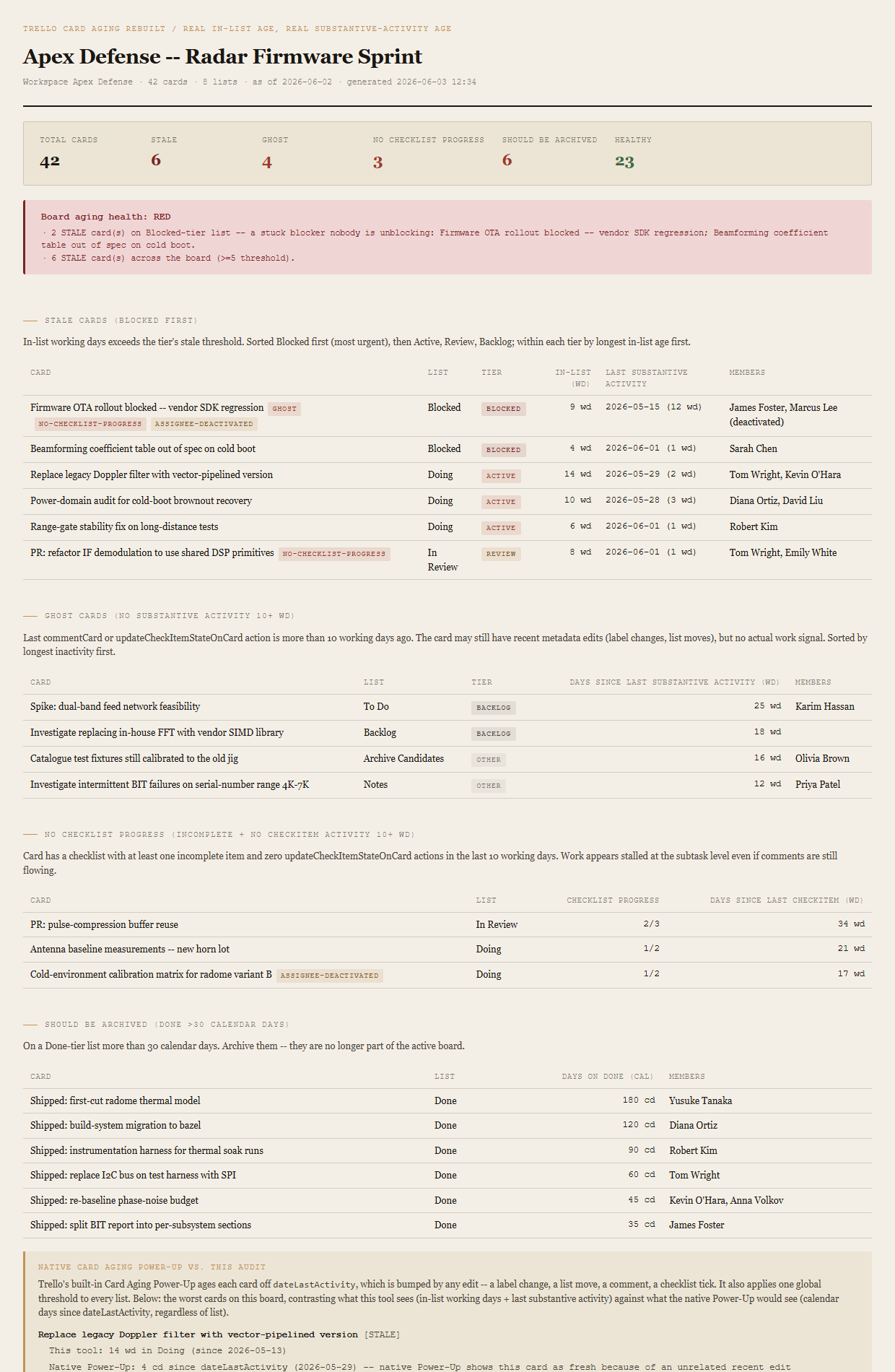
The bundled fixture lands RED via the "Firmware OTA rollout blocked — vendor SDK regression" card — on Blocked, 9 working days in list, with GHOST and NO-CHECKLIST-PROGRESS as secondary tags and an assigned member whose account is deactivated. A single card exercises the worst RED path on the first render.
What ends up on the page
Header (workspace, board, card count, list count, asOfDate). Summary row (total / stale / ghost / no-checklist / should-be-archived / healthy). Board-aging verdict (RED/AMBER/GREEN) with named reasons. Stale-cards table sorted BLOCKED first, then ACTIVE, REVIEW, BACKLOG, then by in-list days descending. Ghost-cards table sorted longest-inactive first. No-checklist-progress table with progress and days-since-last-checkItem. Should-be-archived table with days-on-Done in calendar days. "Native Card Aging Power-Up vs. this audit" callout contrasting what the Power-Up sees against what this tool sees for the top three worst cards.
The honest scope of v1.
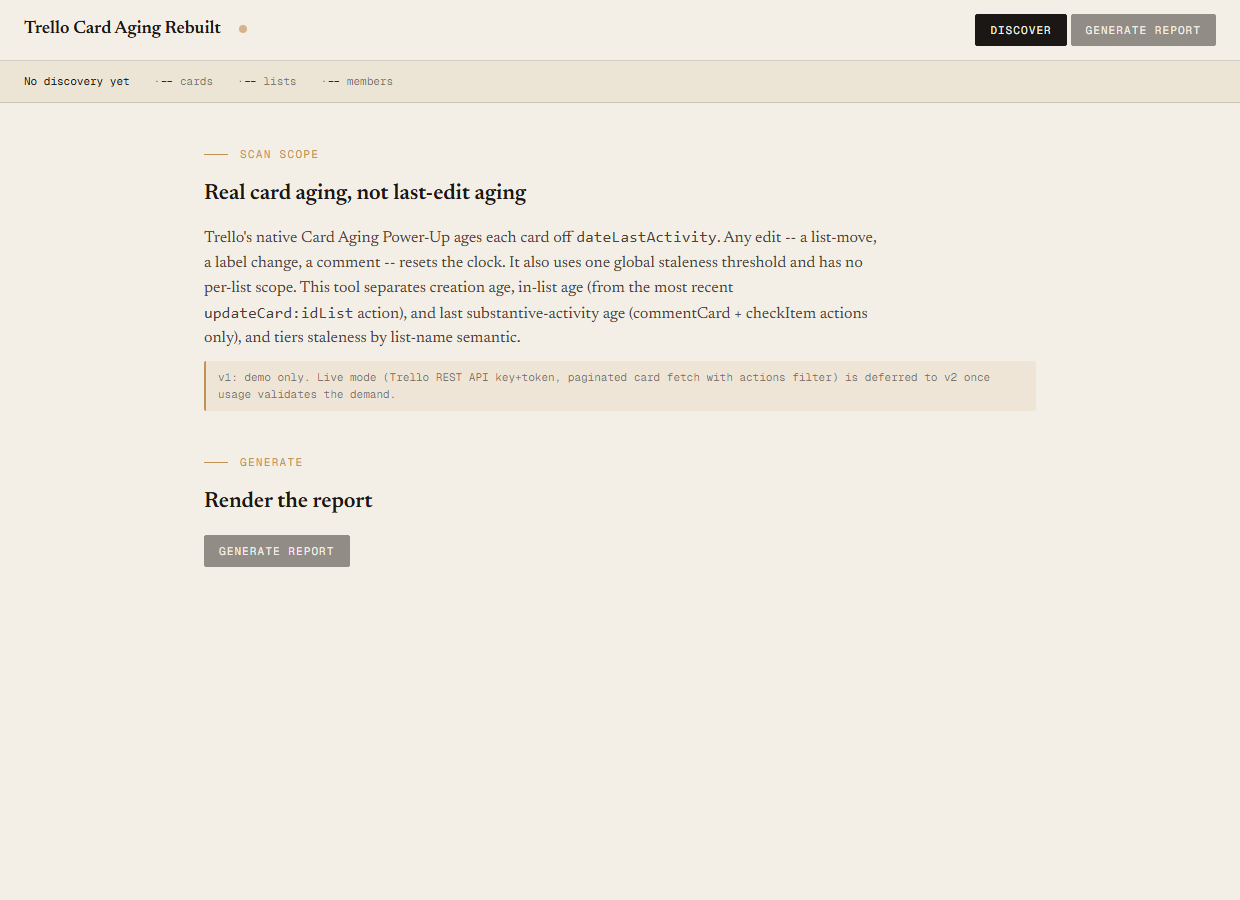
v1 is demo mode only. The discover script reads the bundled sample-data/cards.json fixture — an Apex Defense workspace with one board ("Apex Defense — Radar Firmware Sprint"), 8 lists, 18 members (16 active + 2 deactivated), and 42 cards engineered to break down 6 STALE / 4 GHOST / 3 NO-CHECKLIST-PROGRESS / 6 SHOULD-BE-ARCHIVED / 23 HEALTHY. You can evaluate the report shape, the verdict logic, the tier classification, and the per-row tags end-to-end with no Trello credentials. Live mode (Trello REST against /boards/{id}/cards?filter=open, /cards/{id}/actions?filter=updateCard:idList,commentCard,updateCheckItemStateOnCard, and /boards/{id}/members) is deferred to v2 once usage validates the demand.
Read-only audit; doesn't write back to Trello. The tool tells you which cards are stale, which are ghosts, and which should be archived. It does not bulk-archive, doesn't move cards, doesn't post comments. The output is a single self-contained HTML file. v1 is read-only by design.
Doesn't enforce WIP limits. WIP enforcement is a different problem — it requires inspecting list capacity rules, modifying cards as new ones arrive, and acting in near-real-time. This tool runs on a cadence (weekly, before a stand-up, before the PMO review) and audits what's already there. The "stale ACTIVE cards" count is adjacent to a WIP problem but the remediation is human, not automated.
Not a replacement for Butler. Trello's Butler is for automation — rules that move cards, set due dates, post comments. This tool doesn't author Butler rules and doesn't audit them. A separate entry will eventually surface Butler rules that are failing silently; this one is about the cards themselves, not the rules around them.
Native shows visual decay. It can't tell you why the card is old.
The native Power-Up ages every card off dateLastActivity, applies one global threshold to every list, and offers no way to configure either — the three limitations are documented in Atlassian community thread 1787317. The result is a board that looks healthy because every recent edit (a label change, a list move, a one-word comment) refreshes the card's apparent age. This tool reads the action stream directly, separates the three ages, applies per-tier thresholds, and shows the audit on one page with the worst card at the top.
Requirements
- OSWindows, macOS, or Linux
- RuntimePowerShell 7+ (
pwsh). 5.1 is not supported. - BrowserAnything modern. UI on
localhost:8793. - TrelloLive mode deferred to v2 — will use Trello REST (
api.trello.com/1) with a personal API key + token. v1 demonstrates the report shape on a bundled fixture. - Demo modeBundled 42-card / 8-list / 18-member Apex Defense fixture — runs end-to-end with no creds, lands RED via a 9-wd Blocked card.
Three files. Free.
The tool, a user guide, and a prompt guide showing the spec, the classifier rules, the fixture engineering that pins the 6/4/3/6/23 counts, and the Pester contract.
Drop your email to unlock the downloads.
One email when new tools ship, digest only. Confirms via Kit (double opt-in). No tracking. Unlocks every download on the site from this browser.
./start.ps1.