Automation Graveyard Report
Monday kills automations silently. The toggle stays green. The owner's account got deactivated six months ago, or a referenced column was renamed last quarter, or the trigger condition stopped being met — and the automation everyone trusts has been dead the whole time. This tool walks every automation in the workspace, classifies it into one of four verdicts, groups the dead ones by CRITICAL vs ROUTINE board tier, and produces a single-page report with a RED/AMBER/GREEN automation-health verdict.
The toggle is green. The automation is dead.
Monday's own Work Management Hub documents the silent-failure mode explicitly: every automation runs under the account of the user who created it, and when that user is deactivated, every automation they owned stops immediately. No error surfaces. No notification. The toggle stays green in the automation center. Onboardings stop sending welcome emails. SLA breaches stop paging the on-call. Status-change notifications stop reaching the channel they were supposed to reach. The work just quietly doesn't happen.
The same shape recurs in other ways. The column the automation references gets renamed or removed during a board cleanup, and the automation goes dead because the trigger no longer resolves. The trigger condition stops being met because a board's status vocabulary drifted ("Resolved" became "Closed"). Threads on community.monday.com document both of these as recurring patterns — people noticing months later that automations they relied on hadn't fired in weeks.
Monday's native automation center surfaces on/off state. It does not surface "this trigger hasn't fired in 30 days despite 27 matching events in the activity log." That gap is what this tool fills.
Four verdicts, two tiers, one verdict block at the top.
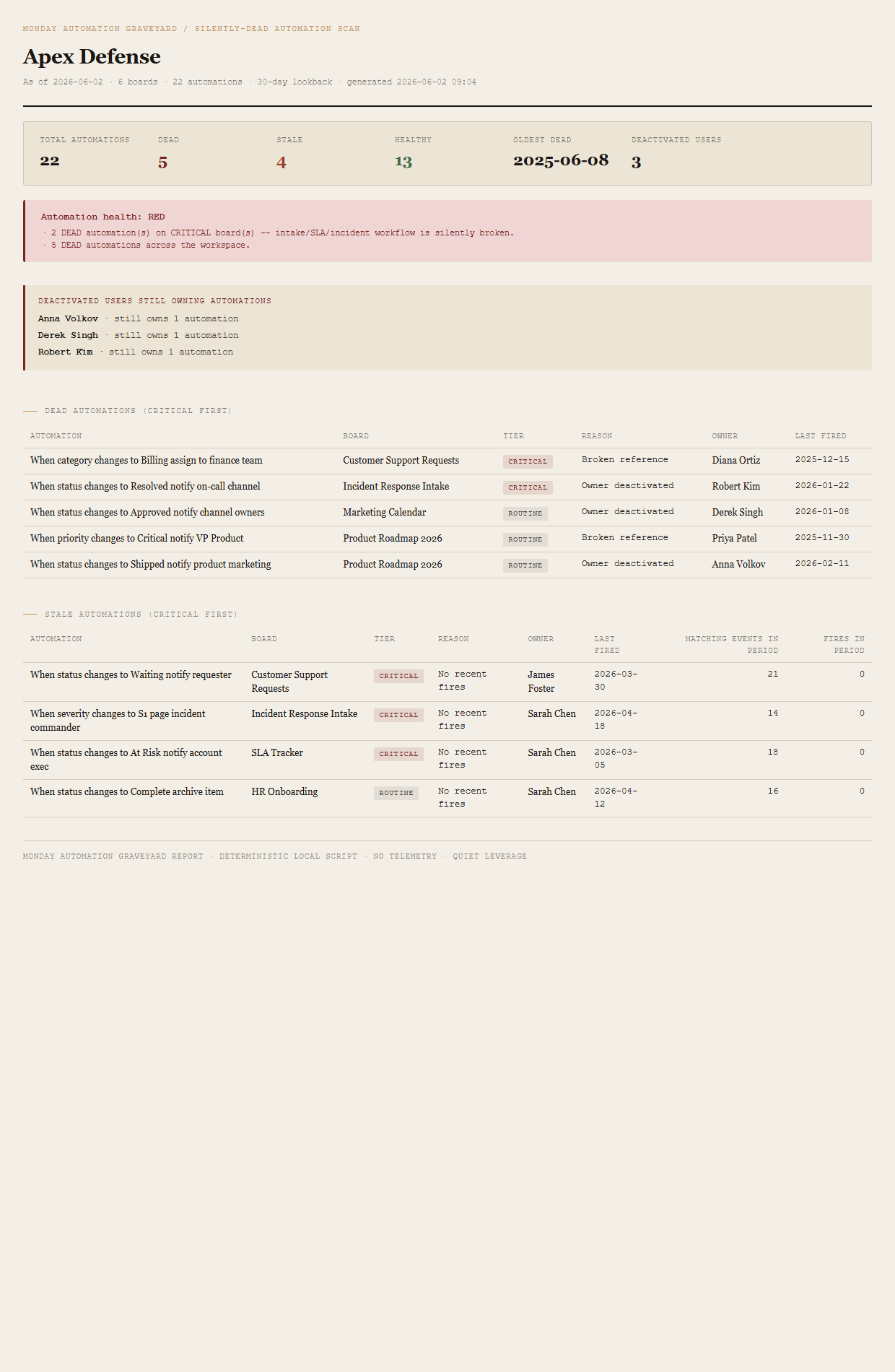
Every automation gets one of four verdicts
active = false. Monday runs automations under the creator's identity; deactivate the creator and every automation they owned stops. The toggle stays green. The deactivated-users-still-owning-automations callout names every dead owner so the PMO can re-create the automations under an active service account.
triggerColumnId no longer exists on the target board. The column was renamed or deleted during a board cleanup; the automation's trigger no longer resolves. v1 inspects column references only; group and status-value reference checking is deferred to v2.
firesInLookback = 0 over the default 30-day window despite ≥ 10 matching events recorded in the board's activity log over the same period. The trigger condition is occurring. The automation is not running. Something about the trigger predicate has drifted.
Every board is tiered CRITICAL or ROUTINE
A board is CRITICAL if its name matches the case-insensitive regex intake|support|request|sla|incident. Everything else is ROUTINE. The distinction matters because a dead automation on a Customer Support Requests board is a different conversation than a dead automation on a Marketing Calendar board — one breaks the team's response loop, the other slightly delays a Slack post.
Verdict roll-up
The workspace verdict is one of three states, set by the worst-fired threshold:
- REDAny DEAD automation lives on a CRITICAL board, OR 3+ DEAD across the workspace.
- AMBERAny DEAD automation exists at all, OR 3+ STALE.
- GREENNo DEAD; STALE backlog under the review threshold.
The verdict block names the specific trigger that fired so the PMO knows whether to chase the CRITICAL-board incident or the workspace-wide DEAD count.
What ends up on the page
Summary header (totals + dead/stale/healthy counts + oldest dead + deactivated-user count). Verdict block (RED/AMBER/GREEN with named reasons). Deactivated-users-still-owning-automations callout. Dead automations table grouped CRITICAL first — columns for automation, board, tier, reason, owner, last fired. Stale automations table grouped CRITICAL first — same columns plus matching events in period and fires in period, so the gap between "trigger fired" and "automation ran" is visible on the row.
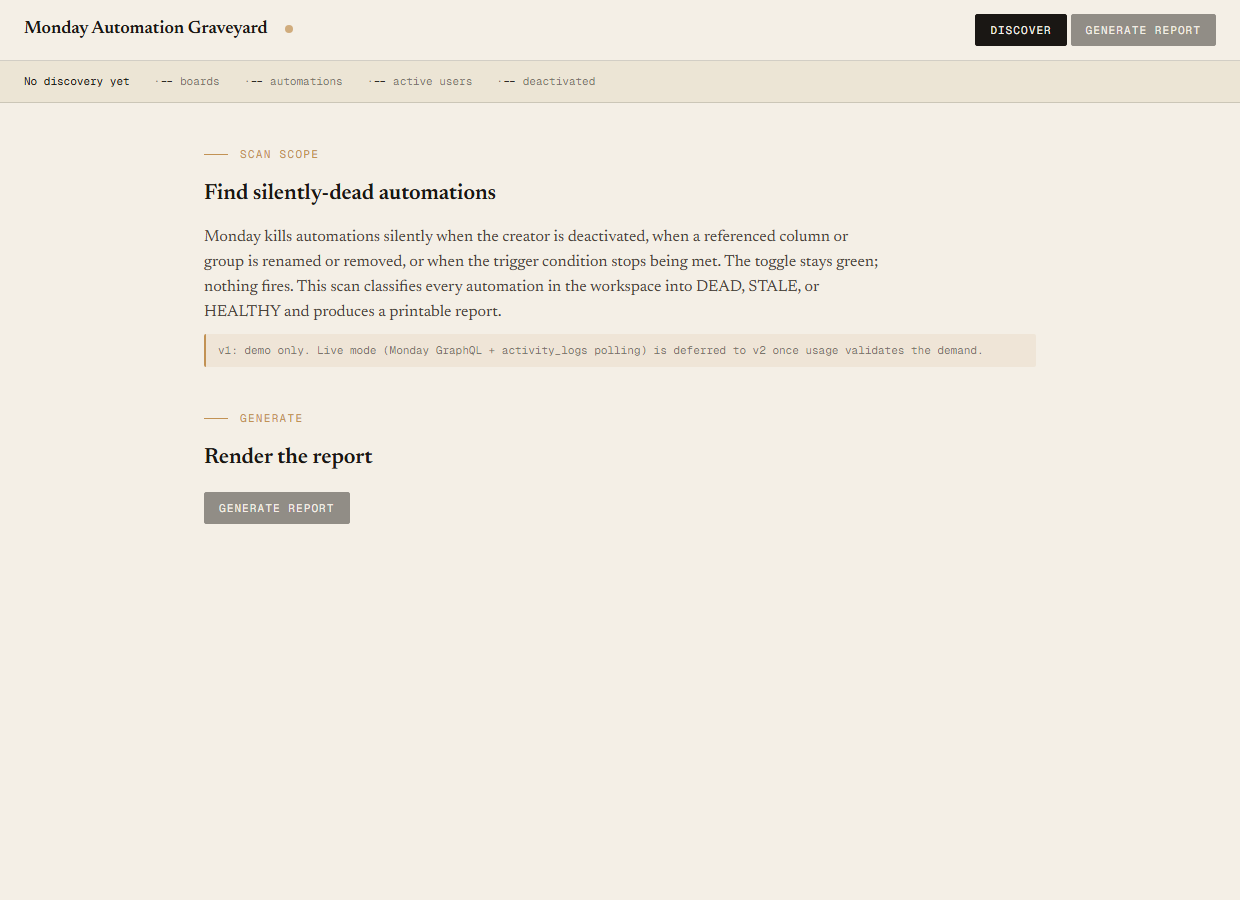
The honest scope of v1.
v1 is demo mode only. The discover script reads the bundled sample-data/automations.json fixture — an Apex Defense workspace with 6 boards, 22 automations, 8 active and 3 deactivated users — and the generate script renders the report against that. You can evaluate the report shape, the verdict logic, the table structure, and the callout copy end-to-end with no Monday credentials. Live mode (Monday GraphQL automation query + activity_logs polling per board) is deferred to v2 once usage validates the demand.
Reference checking is column-only in v1. The DEAD-BrokenReference verdict catches automations whose triggerColumnId is no longer present on the target board. It does not catch automations whose referenced group or status value has been renamed. Monday's GraphQL automation payload represents groups and status values differently from columns, and the v2 design needs the live shape validated before this lands.
Not a replacement for Monday's automation editor. This is an audit layer. The tool tells you which automations are dead and why; it doesn't fix them, doesn't re-create them, doesn't write to your workspace. v1 is read-only by design.
No trigger-condition simulation. v1 trusts the firesInLookback and activityLogs counts from the source (the fixture in v1, the GraphQL response in v2). It does not reconstruct fires from scratch by replaying activity logs through the trigger predicate. v2 may do that for STALE detection if the firesInLookback field turns out to be unreliable.
Native shows on/off. It doesn't show silent failure.
Monday's automation center surfaces the toggle state — whether each automation is on or off. That is not the question the audit answers. The audit answers: of the automations whose toggles are on, which ones are actually firing, and which ones have been dead for months while looking healthy? Native has no view for "this automation hasn't fired in 30 days despite N matching events." Native has no view for "this automation is owned by a deactivated user." Those are the two failure modes this tool surfaces.
Requirements
- OSWindows, macOS, or Linux
- RuntimePowerShell 7+ (
pwsh). 5.1 is not supported. - BrowserAnything modern. UI on
localhost:8789. - MondayLive mode deferred to v2 — will use Monday GraphQL (
api.monday.com/v2) with a personal API token. v1 demonstrates the report shape on a bundled fixture. - Demo modeBundled 22-automation / 6-board Apex Defense fixture — 8 active + 3 deactivated users, 30-day lookback — runs end-to-end with no creds.
Three files. Free.
The tool, a user guide, and a prompt guide showing the spec, the classifier rules, the fixture engineering that pins the 5/4/13 counts, and the Pester contract.
Drop your email to unlock the downloads.
One email when new tools ship, digest only. Confirms via Kit (double opt-in). No tracking. Unlocks every download on the site from this browser.
./start.ps1.