Board sprawl
As a Monday.com workspace ages, boards proliferate. A 400-item sprint tracker that nobody has touched in six months still shows up in search and board pickers. Three boards named "Q3 Planning" collide silently. A compliance board's creator is deactivated and there is no owner to ask before changes. This tool walks every board in the workspace, scores it on activity, ownership, load-bearing-ness, and name uniqueness, and produces a one-page archive-candidate list with per-board verdicts and a do-not-touch callout naming the boards that hold the workspace together.
Monday's Account Content tab is a flat list. The sprawl is invisible.
Monday's admin-only Account Content tab is the closest thing the product has to a board inventory. It lists every board in the account with creator, creation date, last activity, and item count — a flat sortable table with no scoring, no verdict, and no relationships. It tells you nothing about whether a stale 400-item board still has live mirrors pointing at it, whether a board's creator is deactivated, or whether three boards in the workspace share the same name and silently collide in search. There is no "this looks abandoned" warning, no "this name is a duplicate" badge at create time, and no orphan flag when a creator's account goes inactive. The TaskRhino write-up on Monday board naming and organization documents the sprawl pattern explicitly: every workspace, given enough time, grows a long tail of boards nobody owns and nobody dares archive because nobody is sure whether anything still depends on them.
For a regulated-industry workspace the abandoned board is more than clutter. A compliance board whose creator was deactivated three years ago, with stale items and no clear owner, is a regulatory risk — an auditor asking "who is responsible for this control" gets pointed at a deactivated user with a deactivation date older than the most recent audit. The combination Quiet Leverage sees most often in five-plus-year-old workspaces is the orphaned compliance board: substantive content, recent-ish activity from subscribers nobody removed, and a creator who has not been in the building in two years. This audit's whole job is to turn that long tail into a sortable list with named verdicts, so the cleanup conversation can happen against a concrete table instead of "we should probably look at the boards sometime."
Five per-board verdicts, a load-bearing score, a verdict roll-up, one page.
The five per-board verdicts
connect_boards.
Load-bearing score (the do-not-touch list)
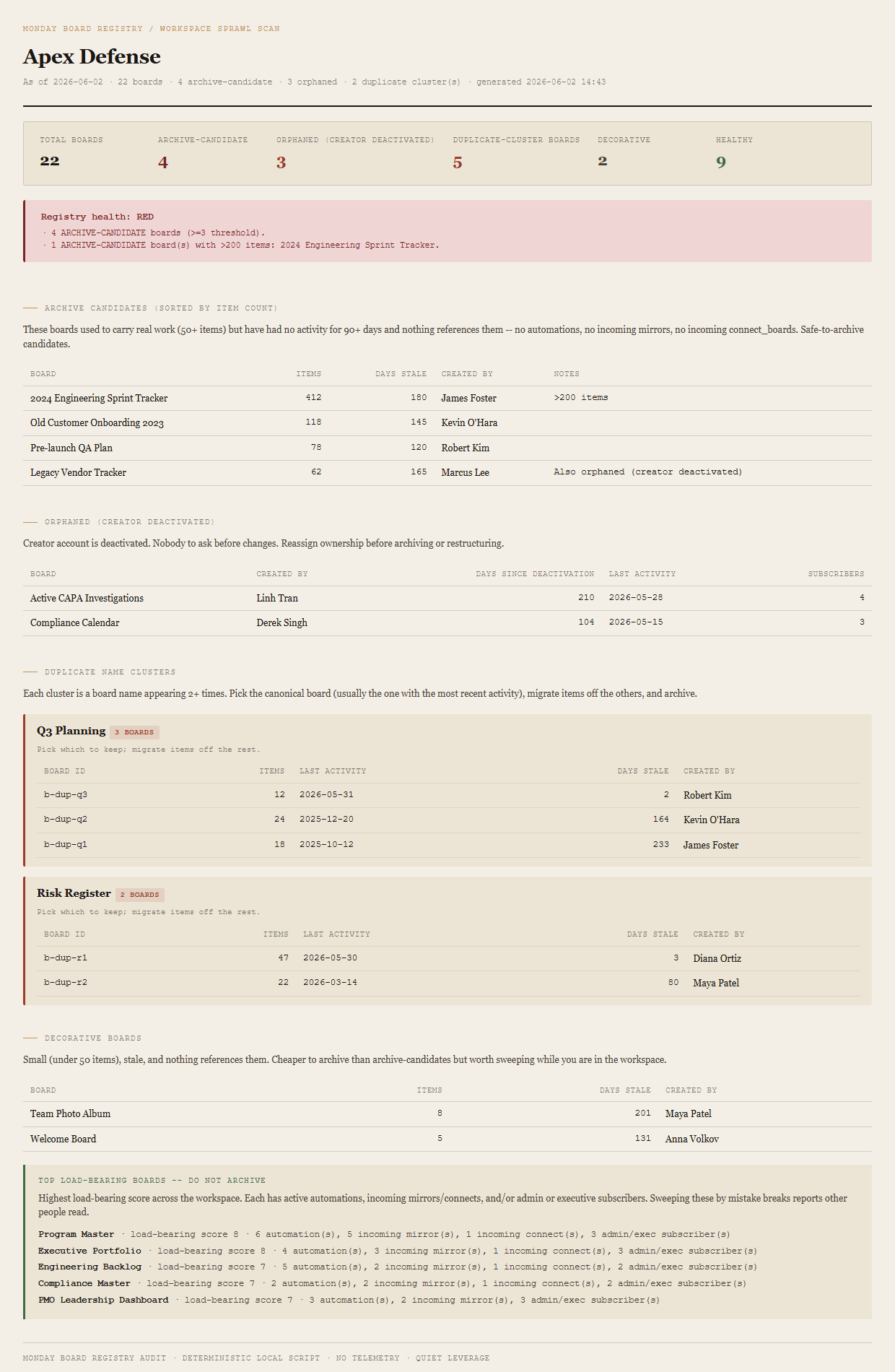
Every board carries a load-bearing score: +2 if it has any active automations, +2 if any incoming mirrors point at it, +1 per admin or executive subscriber, +1 if it is referenced as a connect_boards source by another board. The top five scoring boards are named in a callout at the bottom of the report with an explicit "do not archive these" reminder. The list is in the report specifically so a fast-moving cleanup pass does not sweep a board that holds someone's executive dashboard together. In the fixture, the five named are Program Master, Executive Portfolio, Engineering Backlog, Compliance Master, and PMO Leadership Dashboard.
Per-board precedence
A board can match multiple verdicts. The primary verdict is the highest-severity match, in order: ARCHIVE-CANDIDATE > ORPHANED > DUPLICATE > DECORATIVE > HEALTHY. The "Legacy Vendor Tracker" board in the fixture is both ARCHIVE-CANDIDATE and orphaned — it shows up in the archive-candidates table (primary) with an "Also orphaned (creator deactivated)" note in the row, and the orphaned-total tally counts it once in the summary's orphaned cell.
Workspace verdict roll-up
- RED3+ ARCHIVE-CANDIDATE boards, OR any ARCHIVE-CANDIDATE with >200 items, OR 5+ DUPLICATE-name clusters.
- AMBERAny ARCHIVE-CANDIDATE, OR any ORPHANED (total), OR 3+ DUPLICATE clusters.
- GREENNone of the above. No archive-candidate boards, no orphans, duplicate clusters below review threshold.
The bundled fixture lands on RED because the "2024 Engineering Sprint Tracker" is an ARCHIVE-CANDIDATE with 412 items — a single board over 200 items trips RED on its own. The workspace also has 4 ARCHIVE-CANDIDATES total (which would trip the 3+ threshold independently), 3 orphaned boards (AMBER on its own), and 2 duplicate-name clusters. The reason list captures every overlapping trigger so the team lead reading the report sees the full scope on one verdict block.
What ends up on the page
Summary header (total boards, archive-candidate count, orphaned total, duplicate-cluster-boards, decorative, healthy). Registry-health verdict (RED / AMBER / GREEN) with named reasons. Archive-candidates table (sorted by item count descending) — columns for board, items, days stale, created by, notes (flags the >200-item case and the orphan overlap). Orphaned table (primary slot only) — columns for board, created by, days since deactivation, last activity, subscribers. Duplicate-name clusters — one block per cluster listing each colliding board's ID, item count, last activity, days stale, creator. Decorative-boards table — columns for board, items, days stale, created by. Top load-bearing callout naming the five highest-scoring boards with an explicit do-not-archive line.
The honest scope of v1.
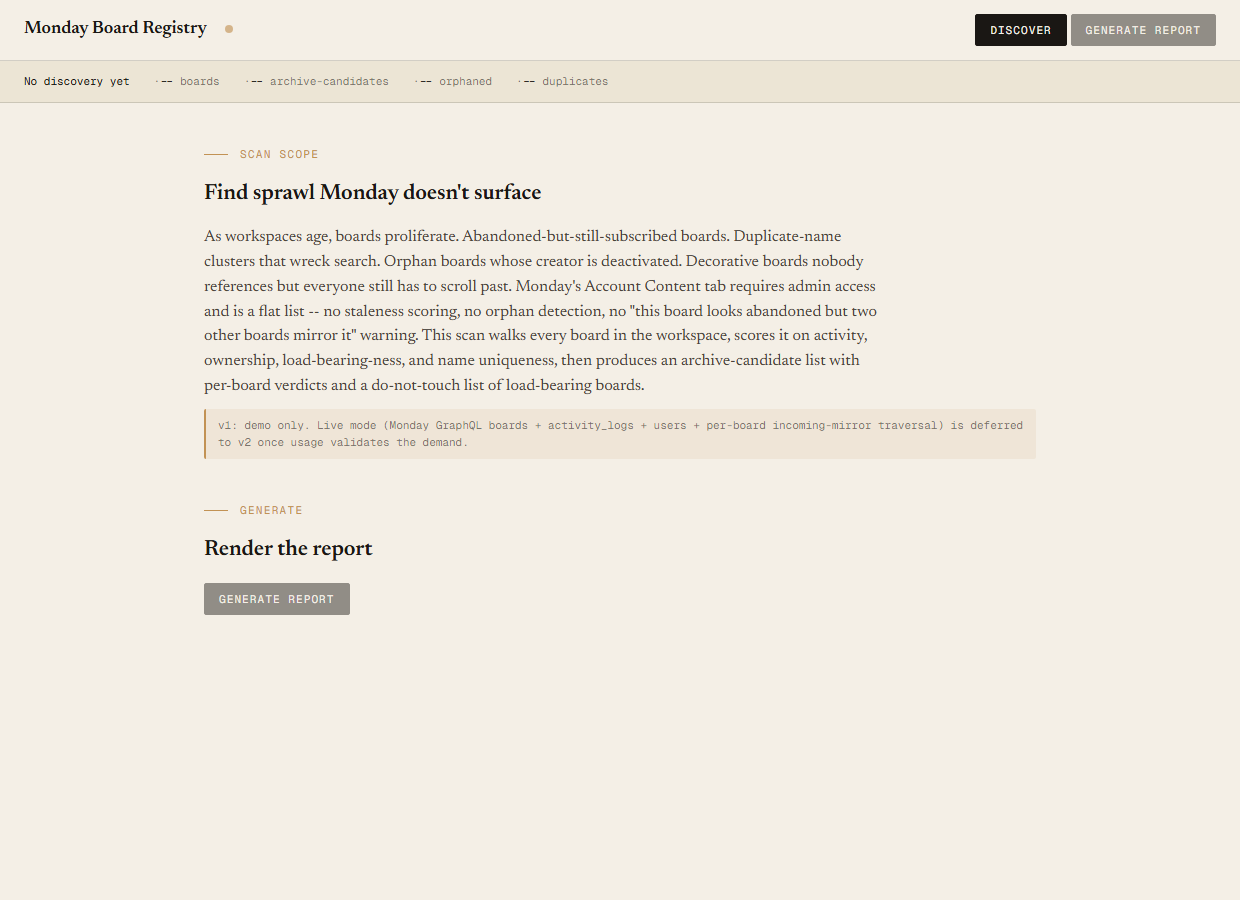
v1 is demo mode only. The discover script reads the bundled sample-data/registry.json fixture — an Apex Defense workspace with 22 boards, 15 users (12 active, 3 deactivated), 2 admins, and 1 executive. You can evaluate the report shape, the five verdict categories, the load-bearing score, the precedence rules, and the verdict roll-up end-to-end with no Monday credentials. Live mode (Monday GraphQL walk of boards + activity_logs + users + per-board columns_settings_str for incoming-mirror traversal + connect_boards reference walking) is deferred to v2 once usage validates the demand.
Read-only audit, no API writes. The tool tells you which boards are archive-candidate, orphaned, duplicate, or decorative. It does not archive them, does not reassign ownership, does not rename duplicates. The output is a single self-contained HTML file you take to a management review or paste into a cleanup ticket. v1 is read-only by design.
Board-level signals only. v1 reads board-level lastItemUpdateAt and lastItemCreateAt; subitem-level activity is not factored into the staleness calculation. Group-level archive recommendations are also out of scope for v1 — the audit treats every board as a whole. Per-group abandonment and subitem staleness land in v2 once the GraphQL shape is validated.
Not a replacement for Monday's Account Content tab — it is the audit Account Content does not surface. The Account Content tab is fine for spot-checking a single board's last activity. This tool runs alongside it, on a cadence (quarterly, before audits, before workspace migrations), to produce the sortable verdict list the native tab will not.
The flat list shows you the rows. The audit tells you which rows to act on.
The Account Content tab is admin-only and renders every board in the account as a flat sortable table. It does not score staleness, does not flag boards whose creator is deactivated, does not detect duplicate names, and does not surface load-bearing relationships. Sorting by last activity tells you which boards have not been touched in a while; it does not tell you which of those still have live mirrors pointing at them, or which name a deactivated user as creator, or which of three same-named boards is the canonical one. This audit walks every board, scores each on activity, ownership, load-bearing-ness, and name uniqueness, and lands each result in a sortable table grouped by verdict — with the top load-bearing boards named explicitly so a cleanup sweep does not break a downstream dashboard.
Requirements
- OSWindows, macOS, or Linux
- RuntimePowerShell 7+ (
pwsh). 5.1 is not supported. - BrowserAnything modern. UI on
localhost:8792. - MondayLive mode deferred to v2 — will use Monday GraphQL (
api.monday.com/v2) walkingboards+activity_logs+users+ per-boardcolumns_settings_strfor incoming-mirror traversal +connect_boardsreference walking. v1 demonstrates the report shape on a bundled fixture. - Demo modeBundled 22-board / 15-user / 3-deactivated Apex Defense fixture — runs end-to-end with no creds. 51 passing Pester tests.
Three files. Free.
The tool, a user guide, and a prompt guide showing the spec, the five-verdict classification math, the fixture engineering that pins the per-category counts, the Pester contract, and the HTML rendering.
Drop your email to unlock the downloads.
One email when new tools ship, digest only. Confirms via Kit (double opt-in). No tracking. Unlocks every download on the site from this browser.
./start.ps1.